Help center / Logging your hours
Logging your hours
Adding trainings, splitting out ethics and suicide prevention, and fixing mistakes.
Adding a training
How do I log a training?
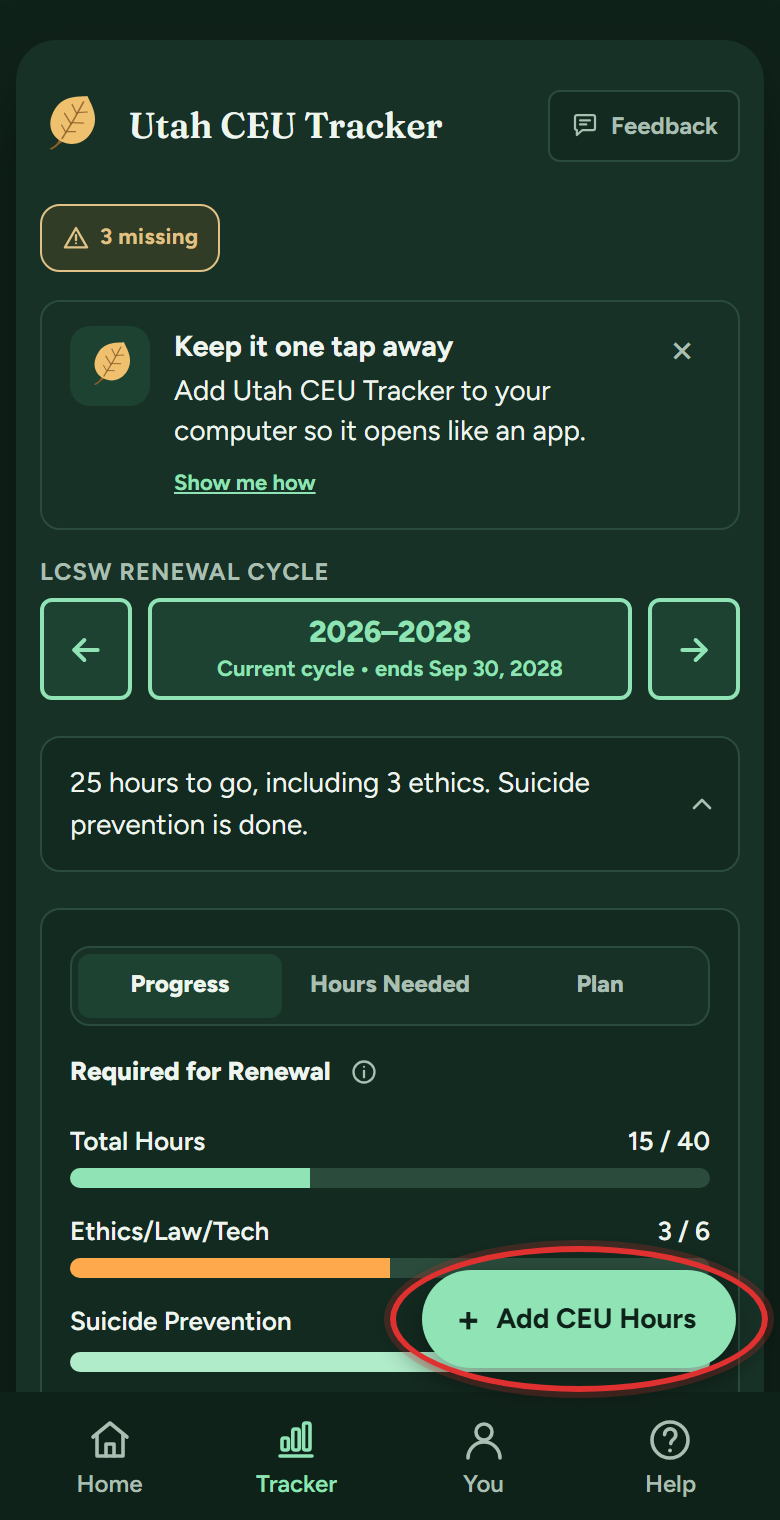
- Go to My Tracker and tap + Add CEU Hours, the big button at the bottom right. (From Home, the Add hours tile does the same thing.)
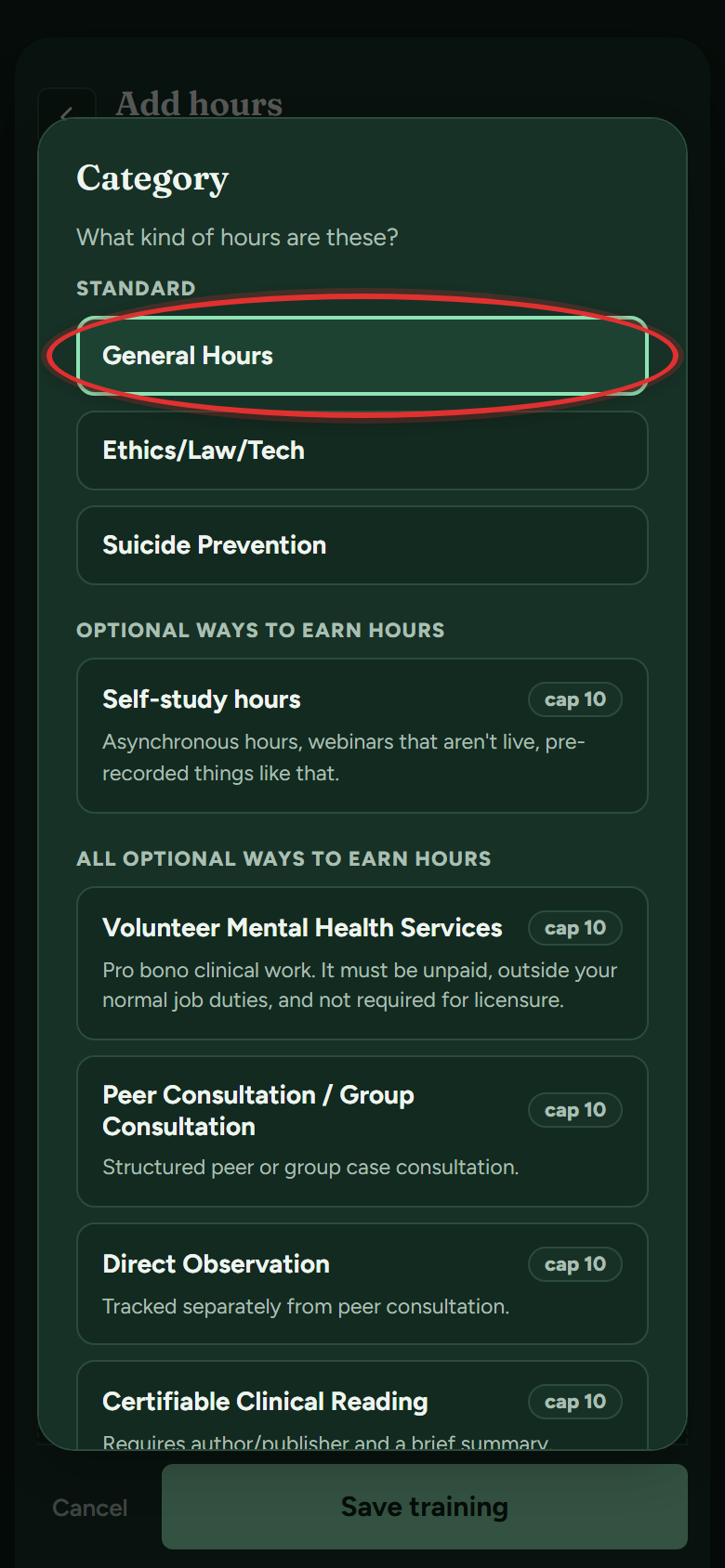
- A list of categories opens. Pick the kind of hours: General Hours for most trainings, or Ethics/Law/Tech (Ethics and Law for psychologists), Suicide Prevention, or one of the optional ways to earn hours. Picked the wrong one? Tap Change next to CATEGORY at the top of the form.
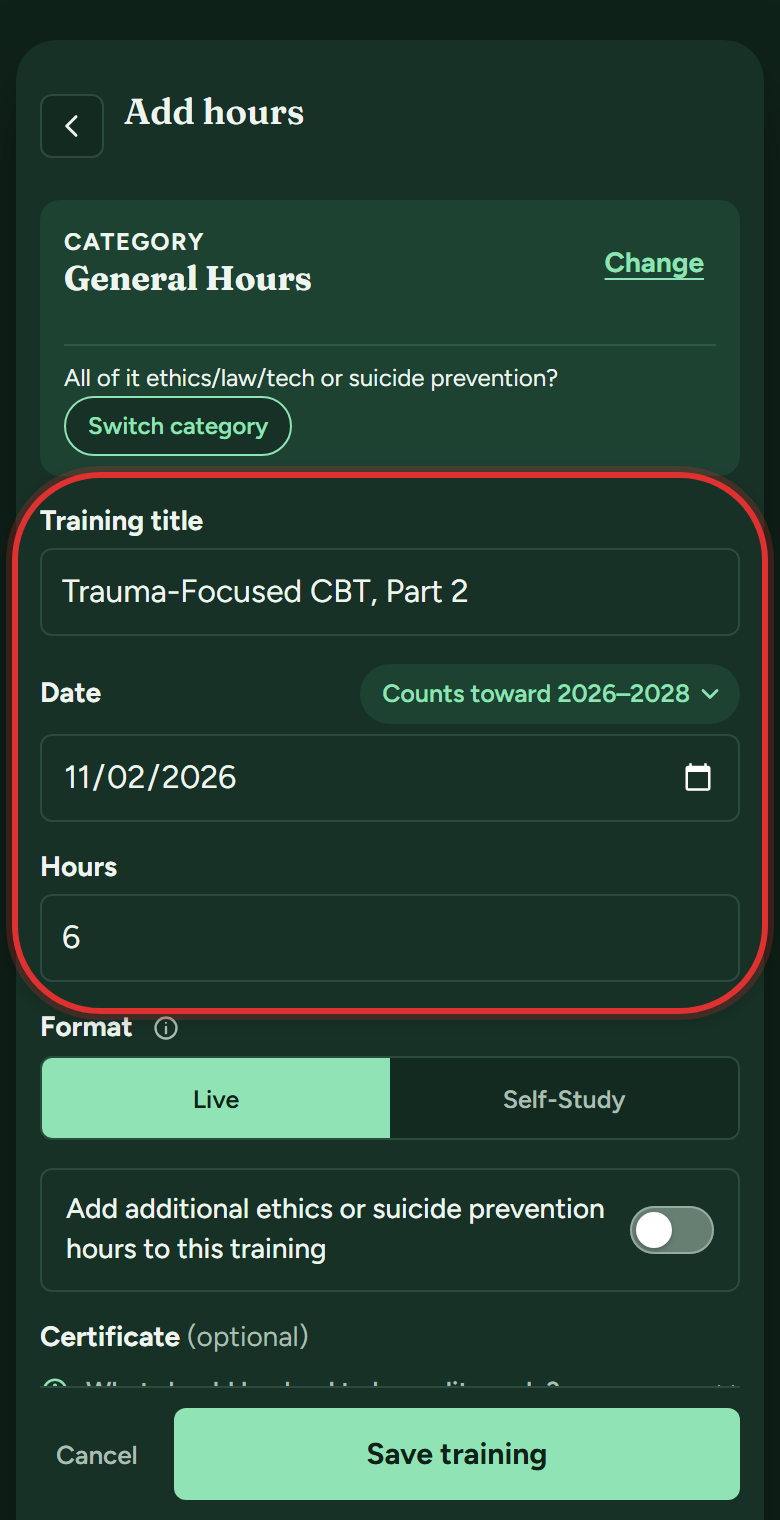
- Enter the training's title, date and hours. The cycle it counts toward fills in from the date and shows next to it.
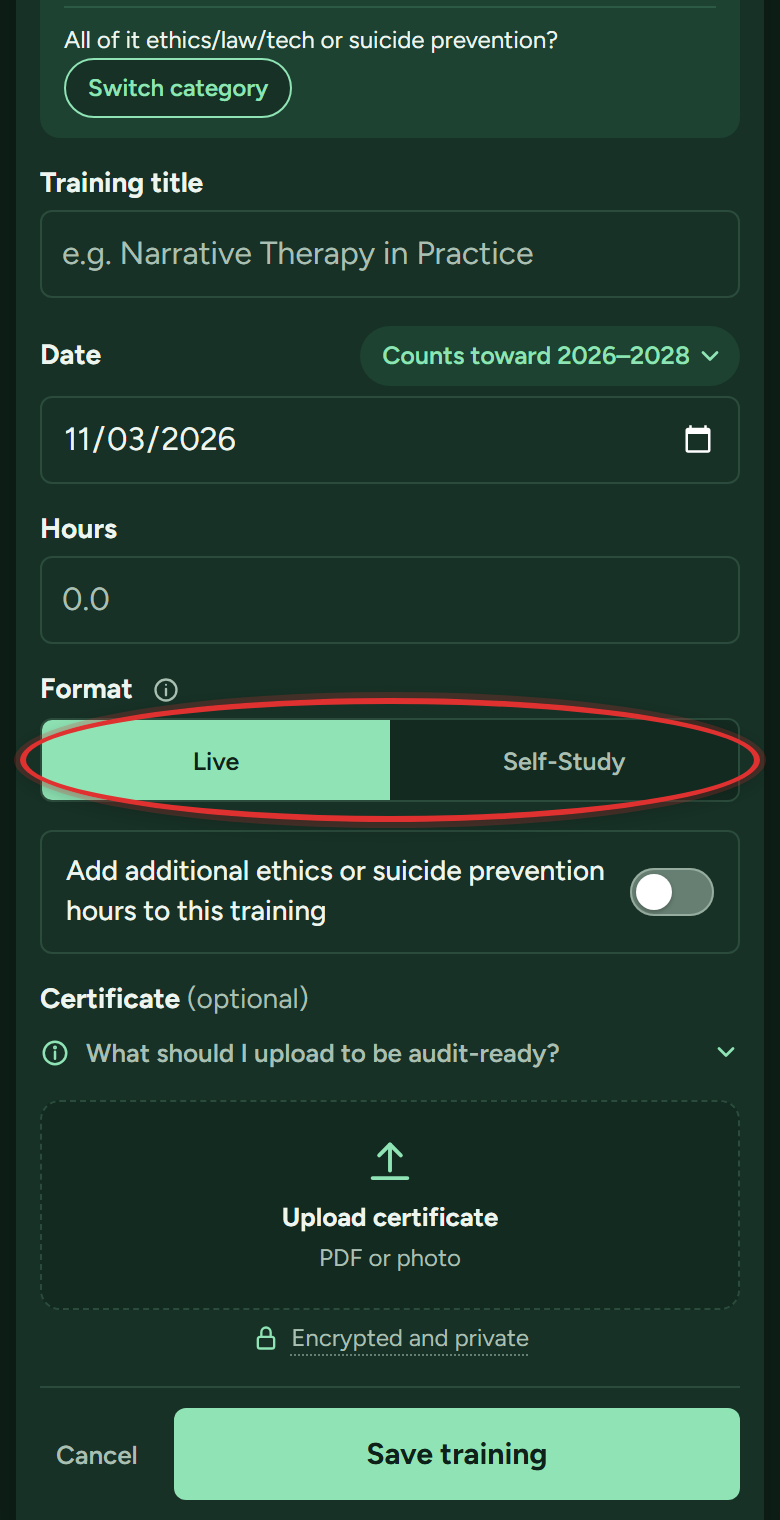
- Pick Live or Self-Study under Format: live means real-time and interactive, self-study means on your own time.
- Optional: under Certificate, tap Upload certificate and pick the file or snap a photo. (More in "How do I attach a certificate?")
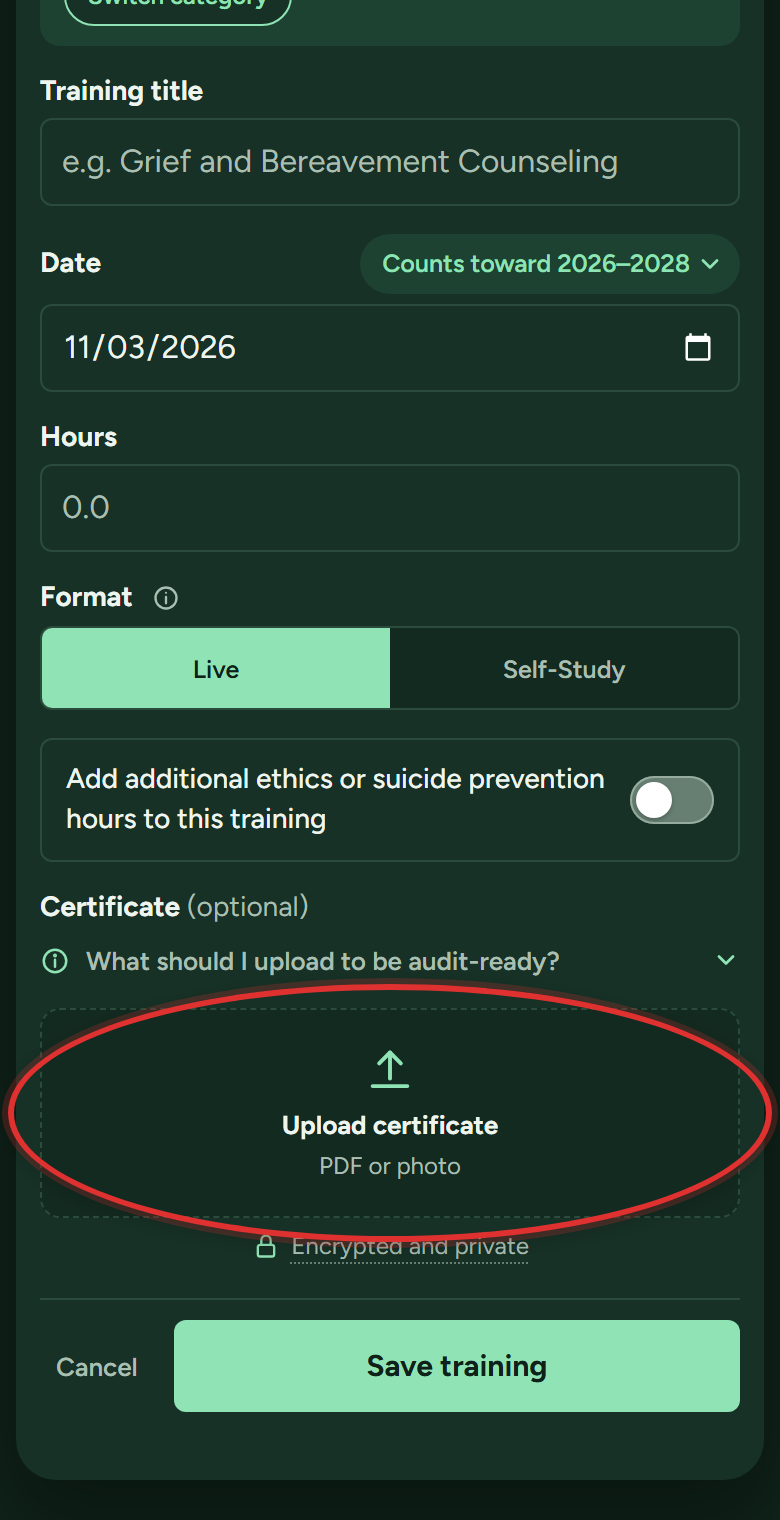
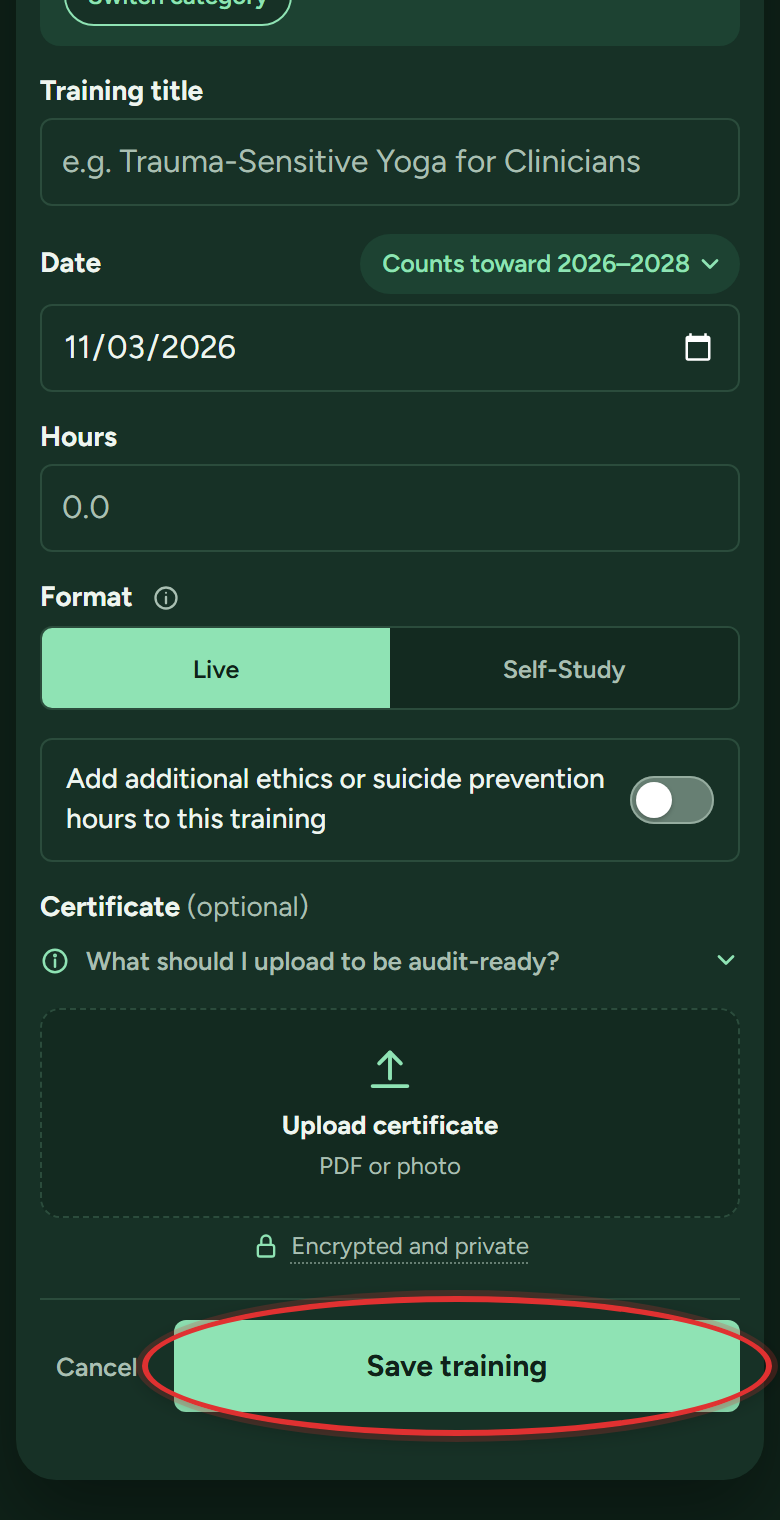
- Tap Save training. Your bars update immediately.
Part of my training was ethics (or suicide prevention). How do I log that?
Log it as one training, never as separate entries. You type each part straight off the certificate, and the app adds them up to the training's total. (Psychologists and residents split out ethics and law only; their rule has no suicide prevention requirement.)
- Go to My Tracker and tap + Add CEU Hours at the bottom right.
- In the list of categories that opens, pick General Hours.
- Enter the title and date.
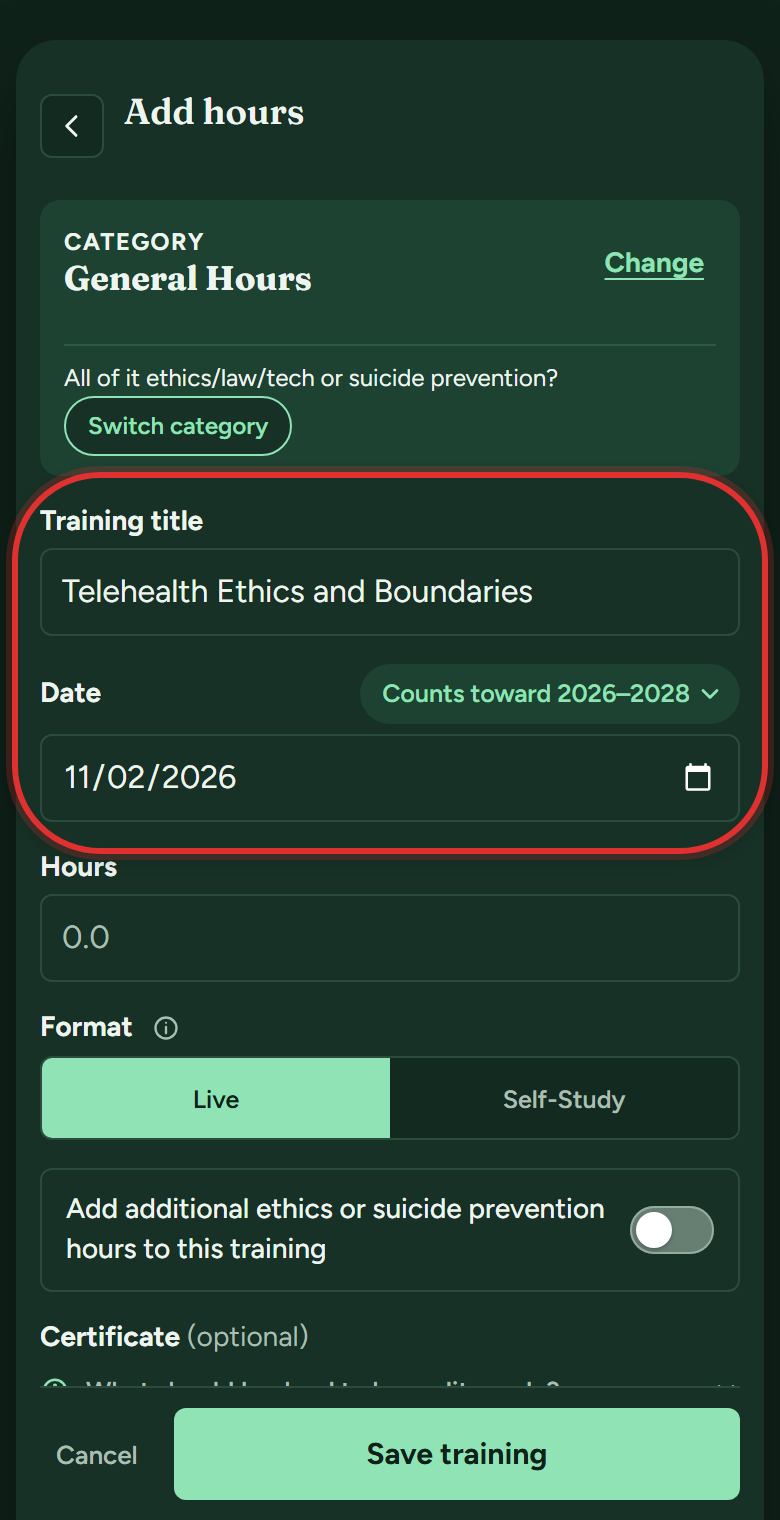
- Turn on the switch under Format: "Add additional ethics or suicide prevention hours to this training." (Its wording matches your license: supervisors see supervision listed too, psychologists see ethics and law.)
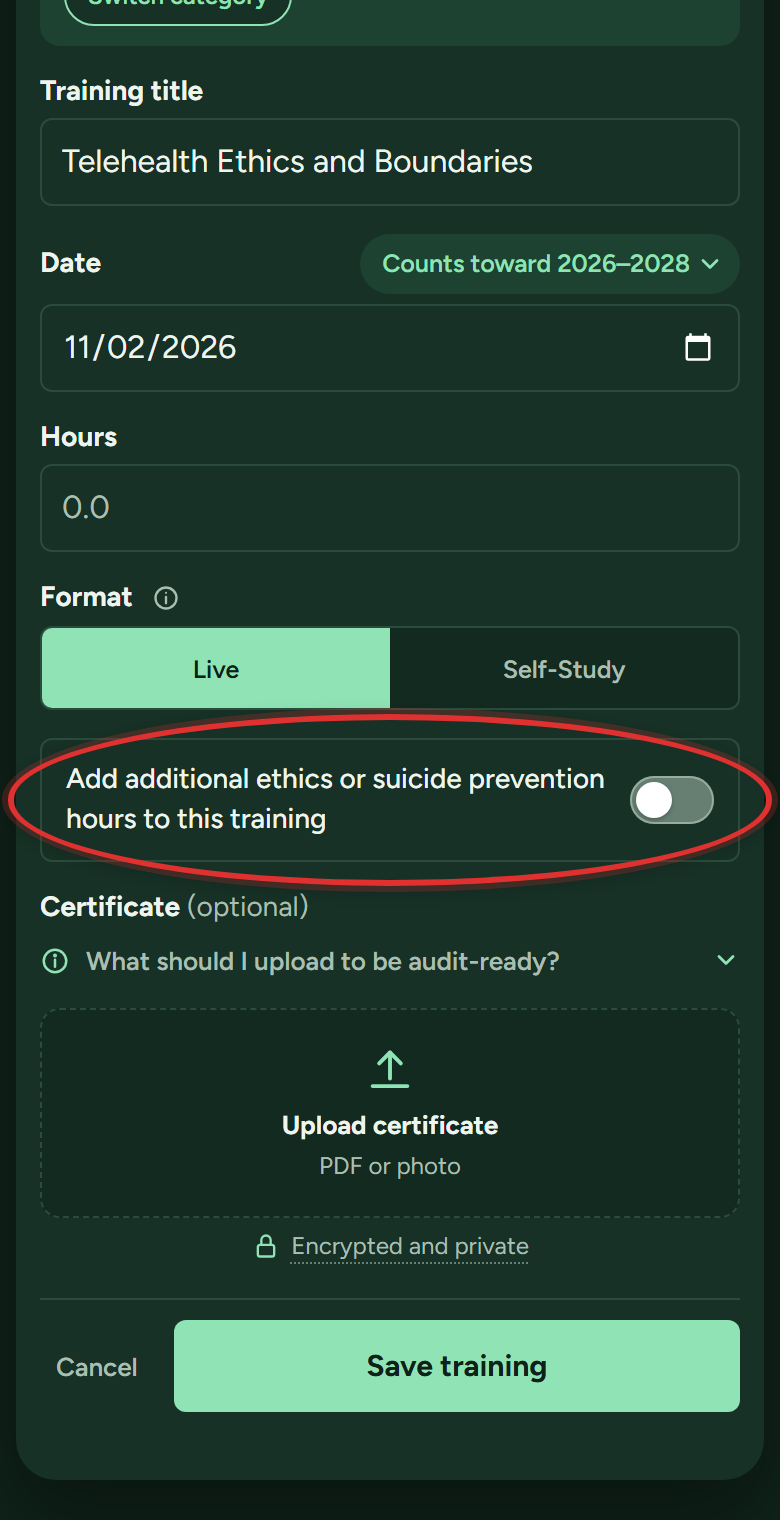
- Fill in each part. The Hours box becomes General hours: the general part only. Type the ethics hours in Ethics and any suicide prevention hours in Suicide prevention. Leave a box empty, or tap its X, if the certificate has none of that kind. The total under the boxes should match the certificate.
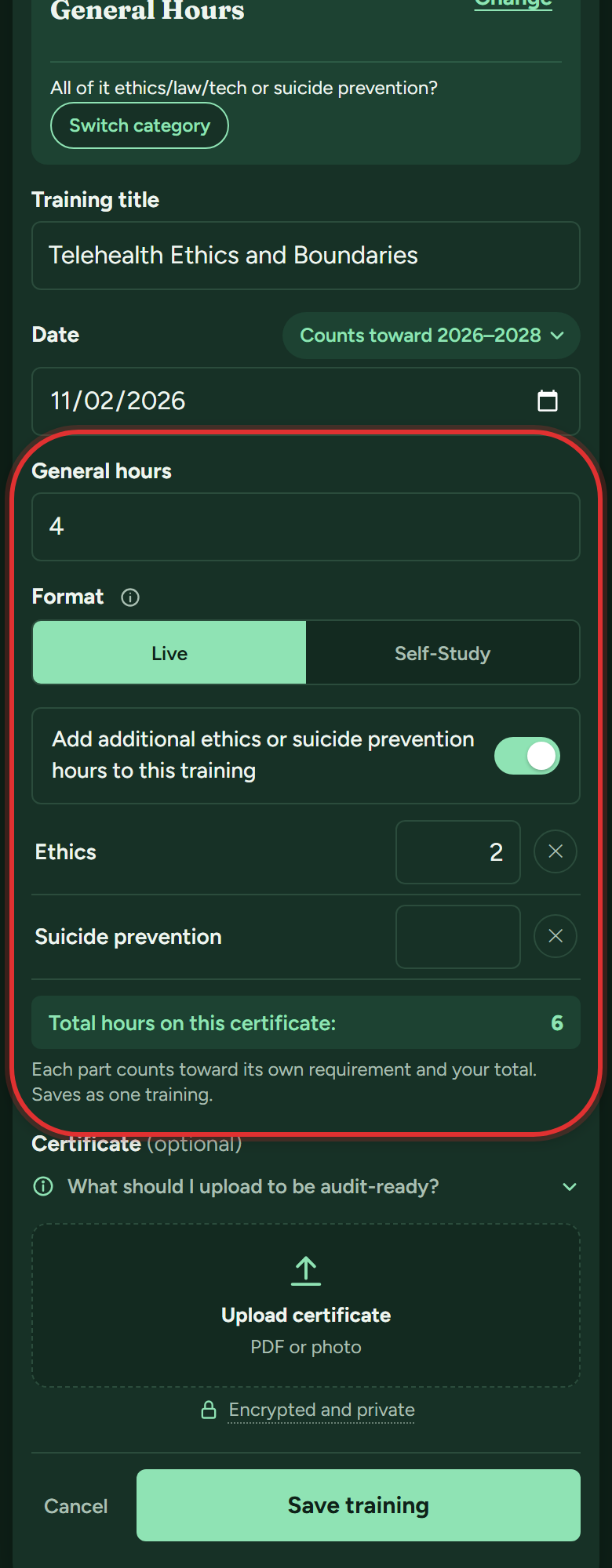
- Tap Save training. It saves as one training, and your ethics bar (Ethics/Law/Tech, or Ethics and Law for psychologists) or Suicide Prevention bar moves along with the total.
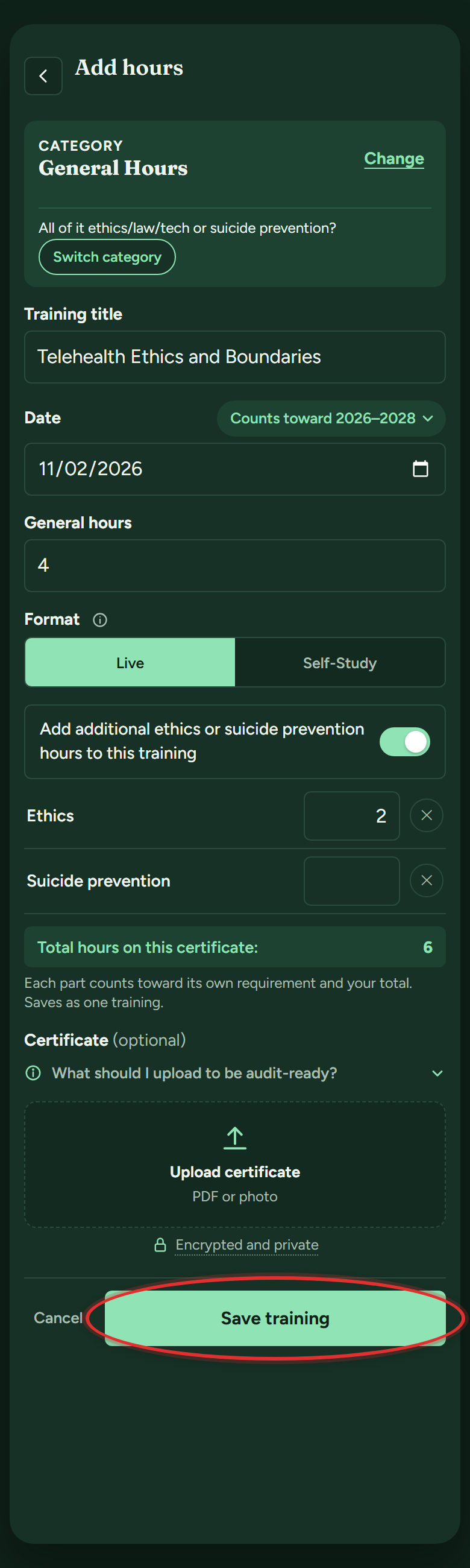
What is the difference between Live and Self-Study?
Live means real-time and interactive: in person, or a live webinar where you can ask questions. Self-Study is on your own time, like a recorded course. The app asks because Utah caps self-study courses at 10 hours per cycle for master's licenses (18 for psychology). Some categories are always one or the other, and the app locks those for you.
Which cycle does a training count toward?
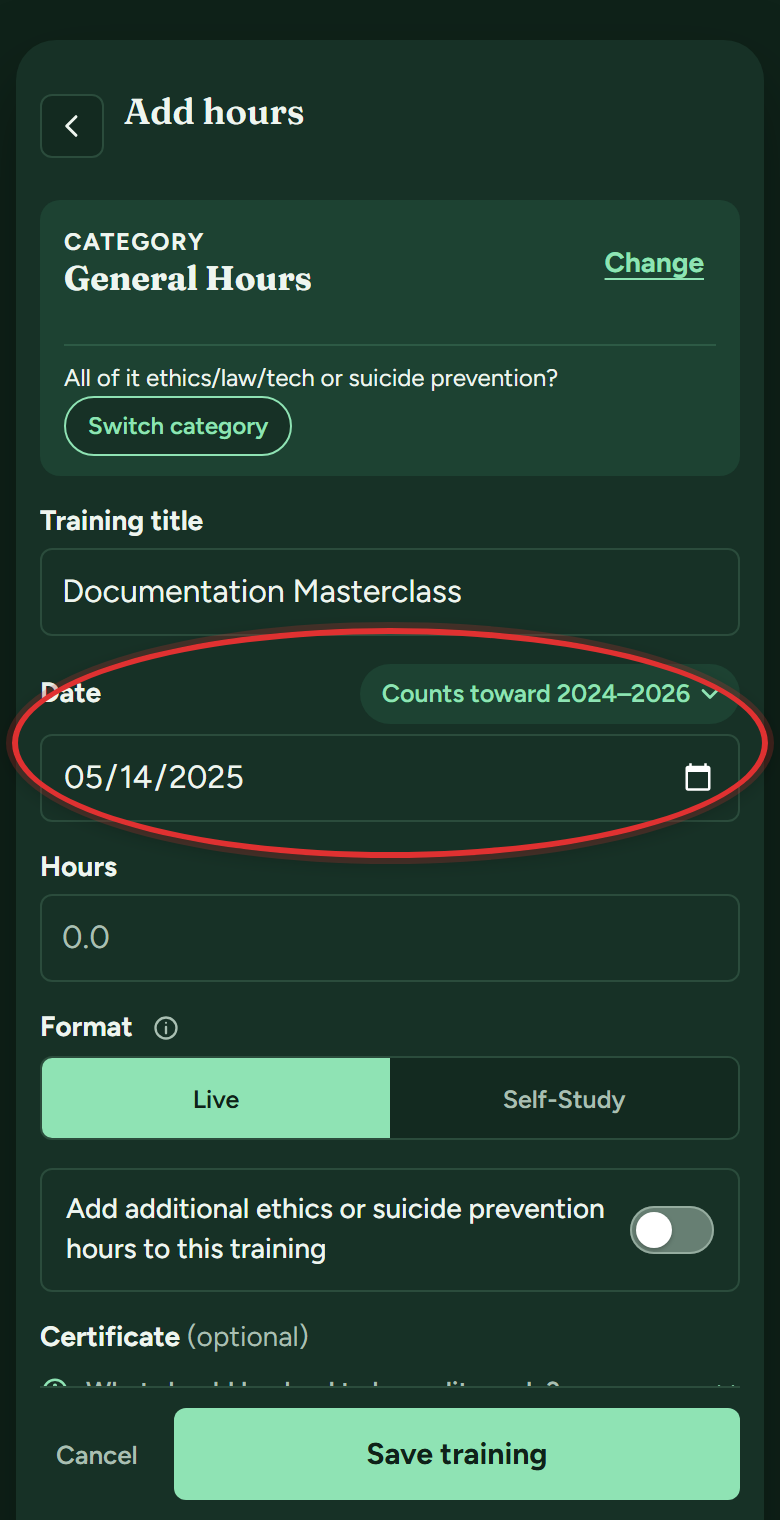
The app works it out from the date. In the Add hours form, the green button next to Date shows the cycle, like "Counts toward 2026–2028":
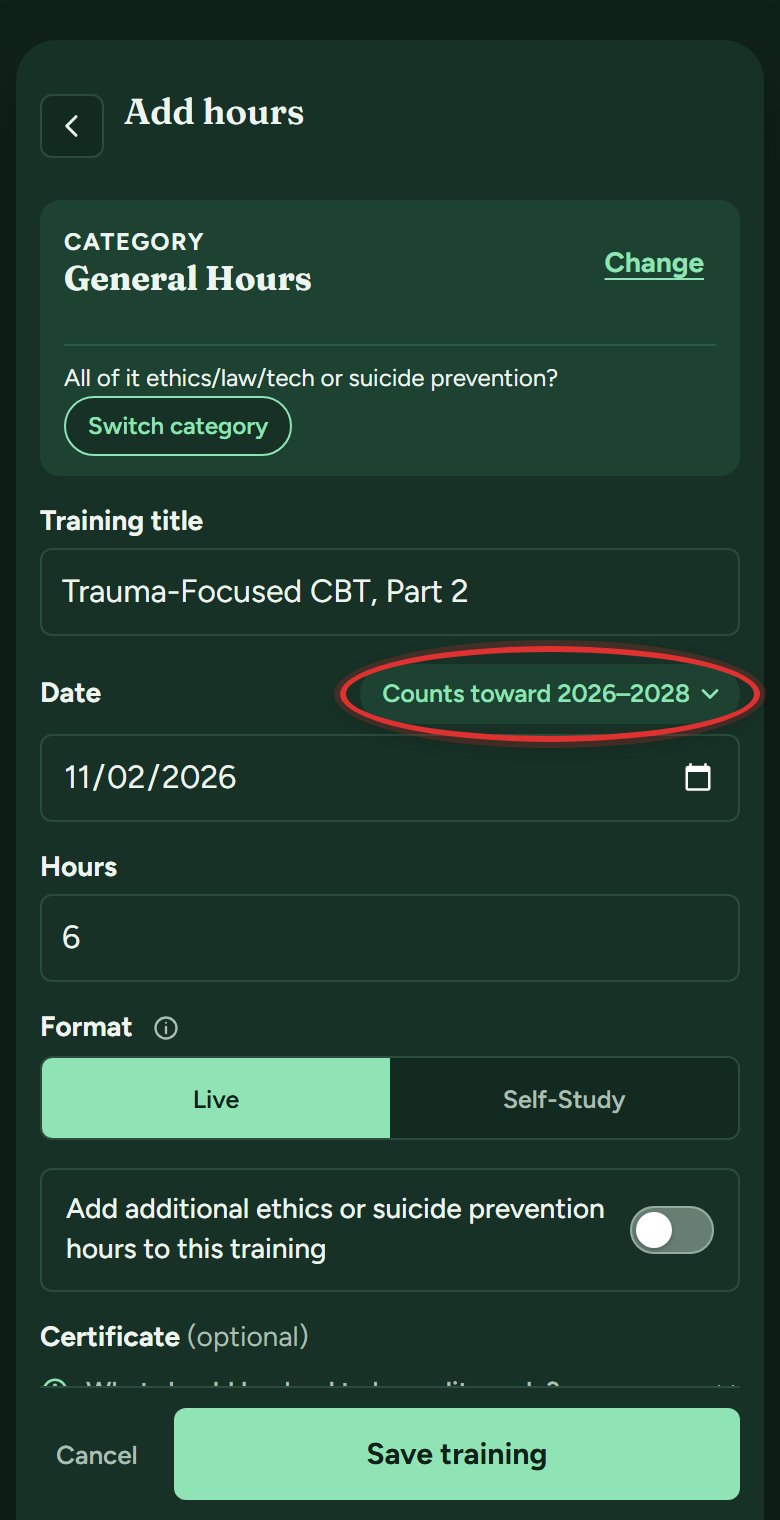
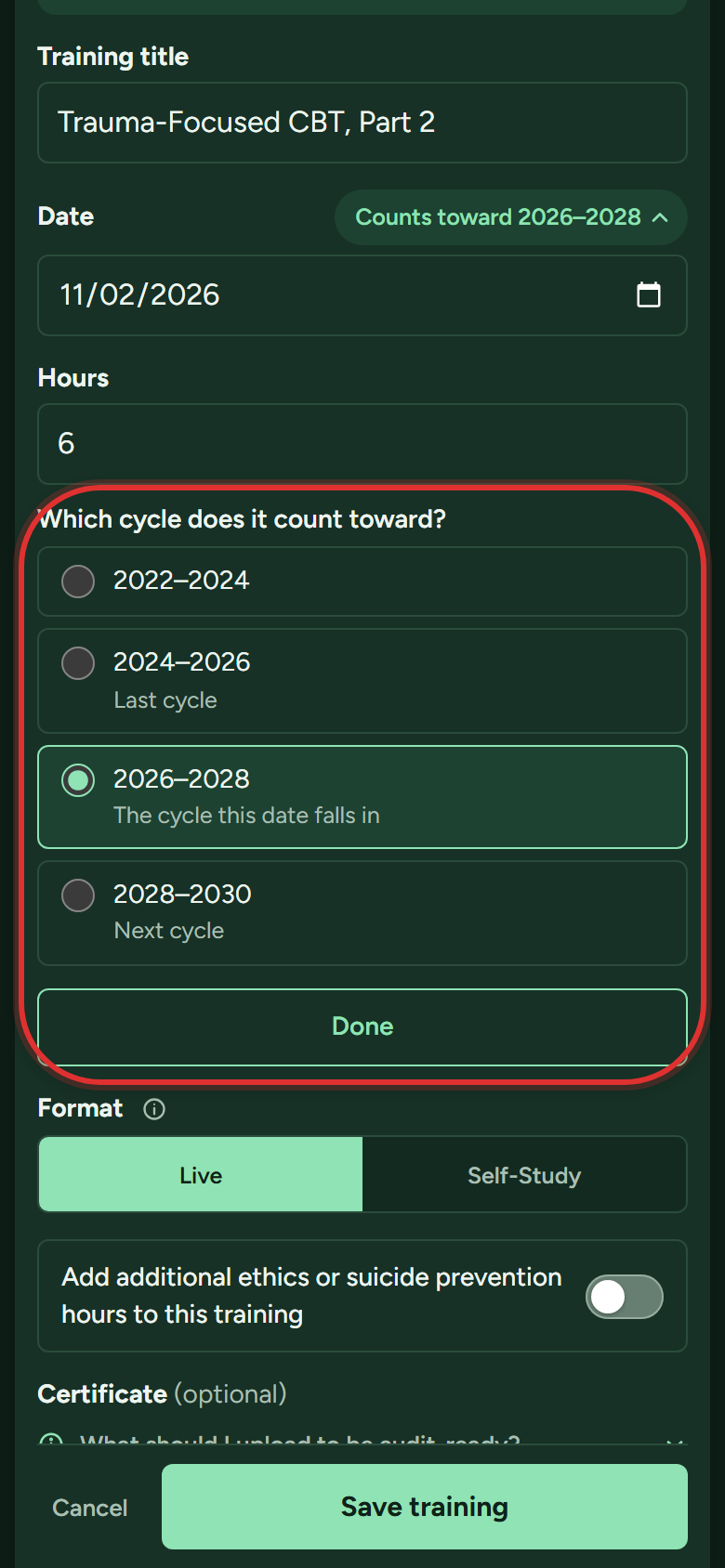
If DOPL told you a training counts toward a different cycle, tap that button. A list of cycles opens (up to two cycles back, or the next one). Pick the one DOPL gave you, and your audit PDF notes the change:
Can I log hours for a past cycle?
Yes, two ways:
- The simple way: add the training with its real date. The app files it in the right cycle on its own; the button next to Date shows which one.
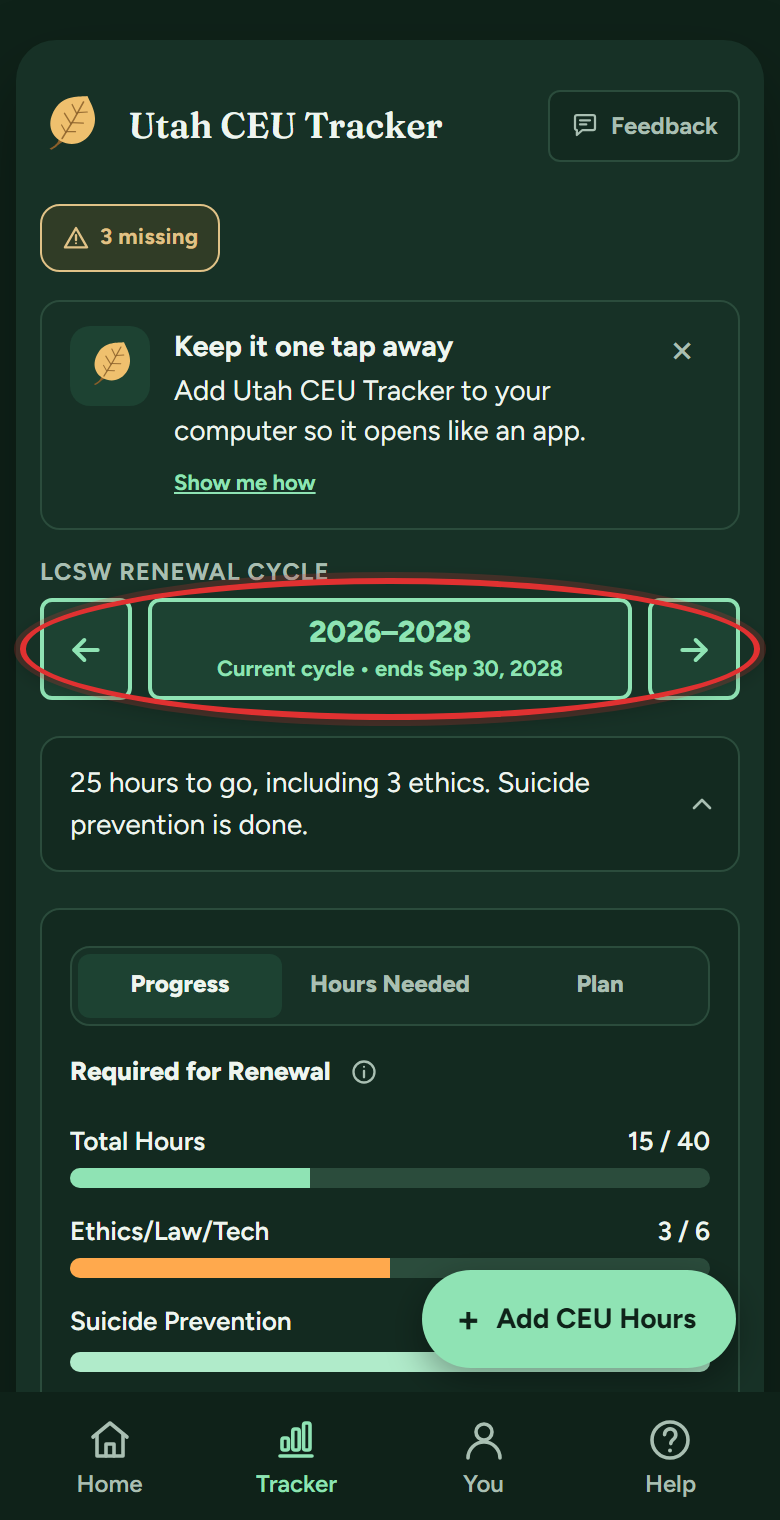
- To look at a past cycle: tap the arrows beside the cycle name at the top of My Tracker. Everything on the page, bars and log included, shows that cycle. Cycles back through 2022-2024 are tracked.
Fixing things
How do I edit or delete a training?
- On My Tracker, scroll down to your Training Log, the list of everything you've logged this cycle.
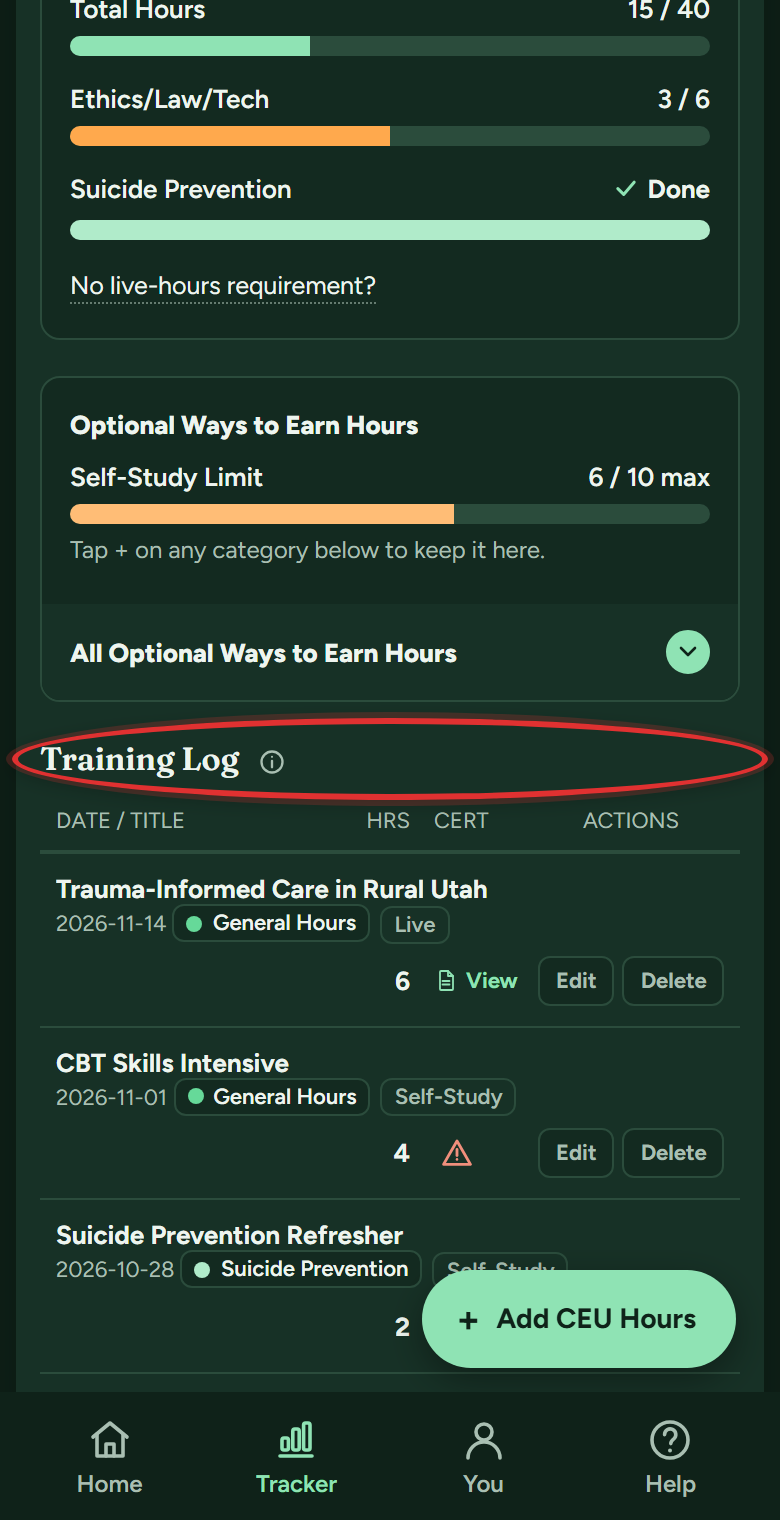
- Every row has its own Edit and Delete buttons on the right. Tap Edit to change anything. (Delete asks you to confirm first, and a deleted training can be restored for 30 days.)
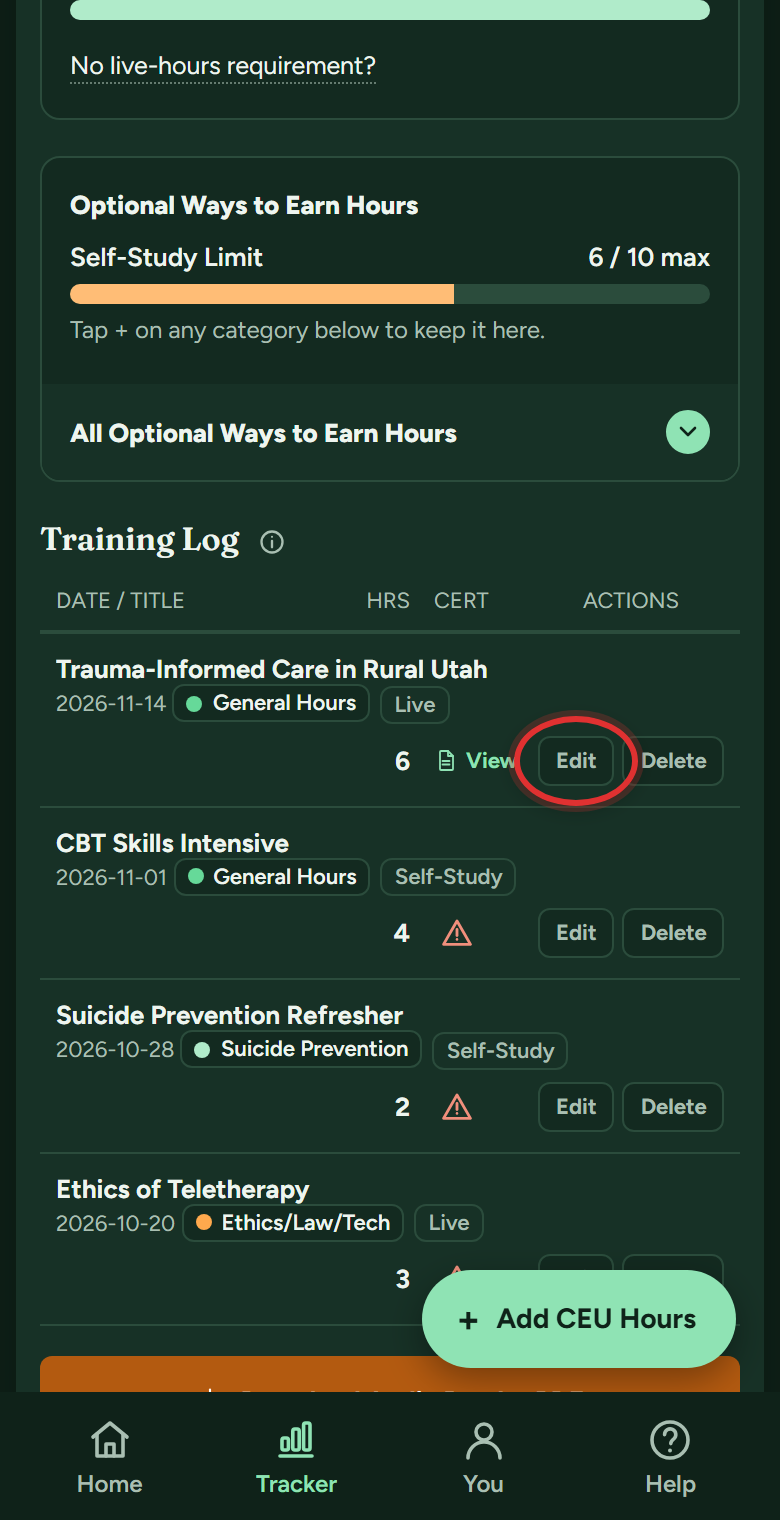
- Change any field and tap Save Changes. The bars recalculate right away, and certificates stay attached through edits.
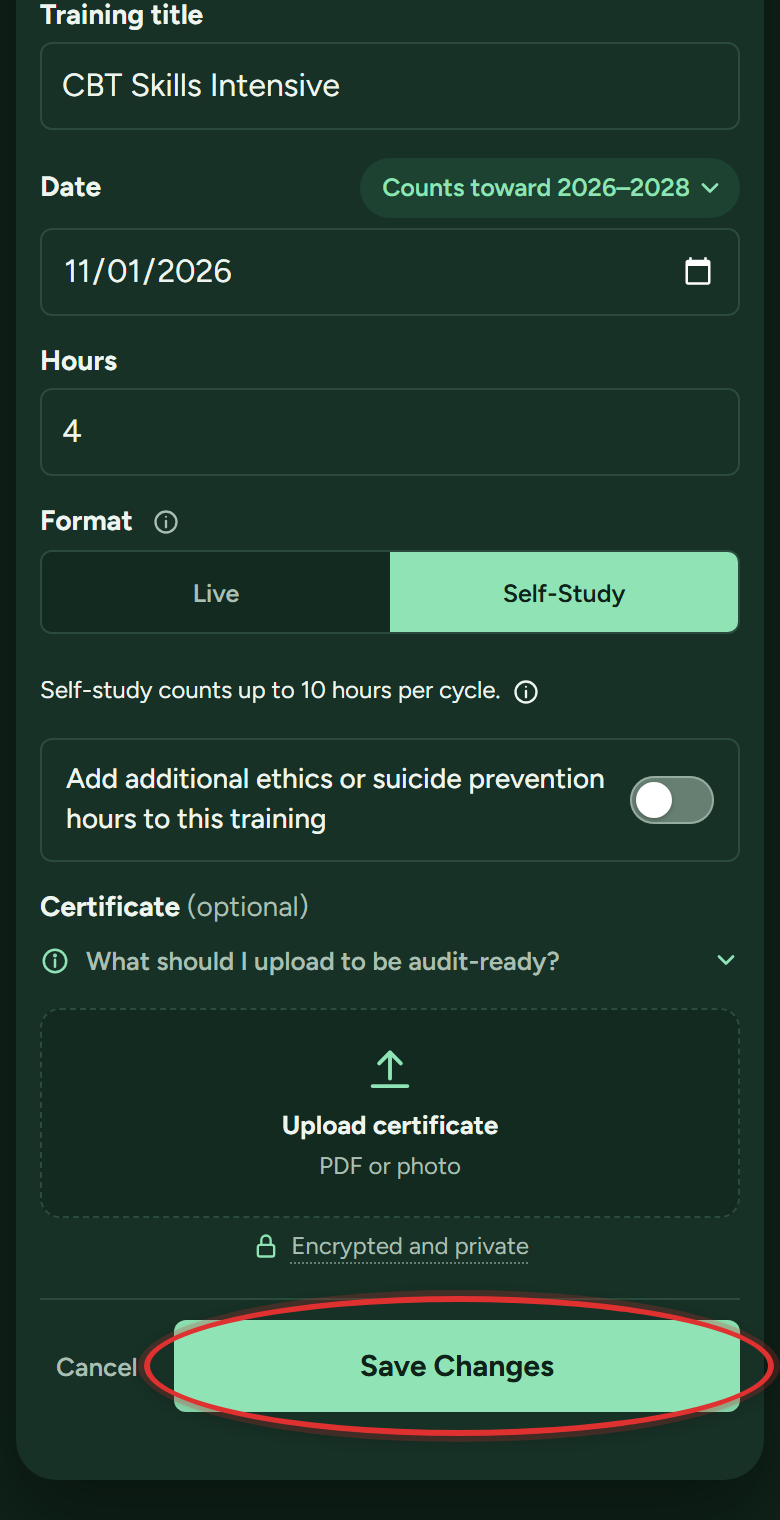
I deleted a training by mistake. Is it gone?
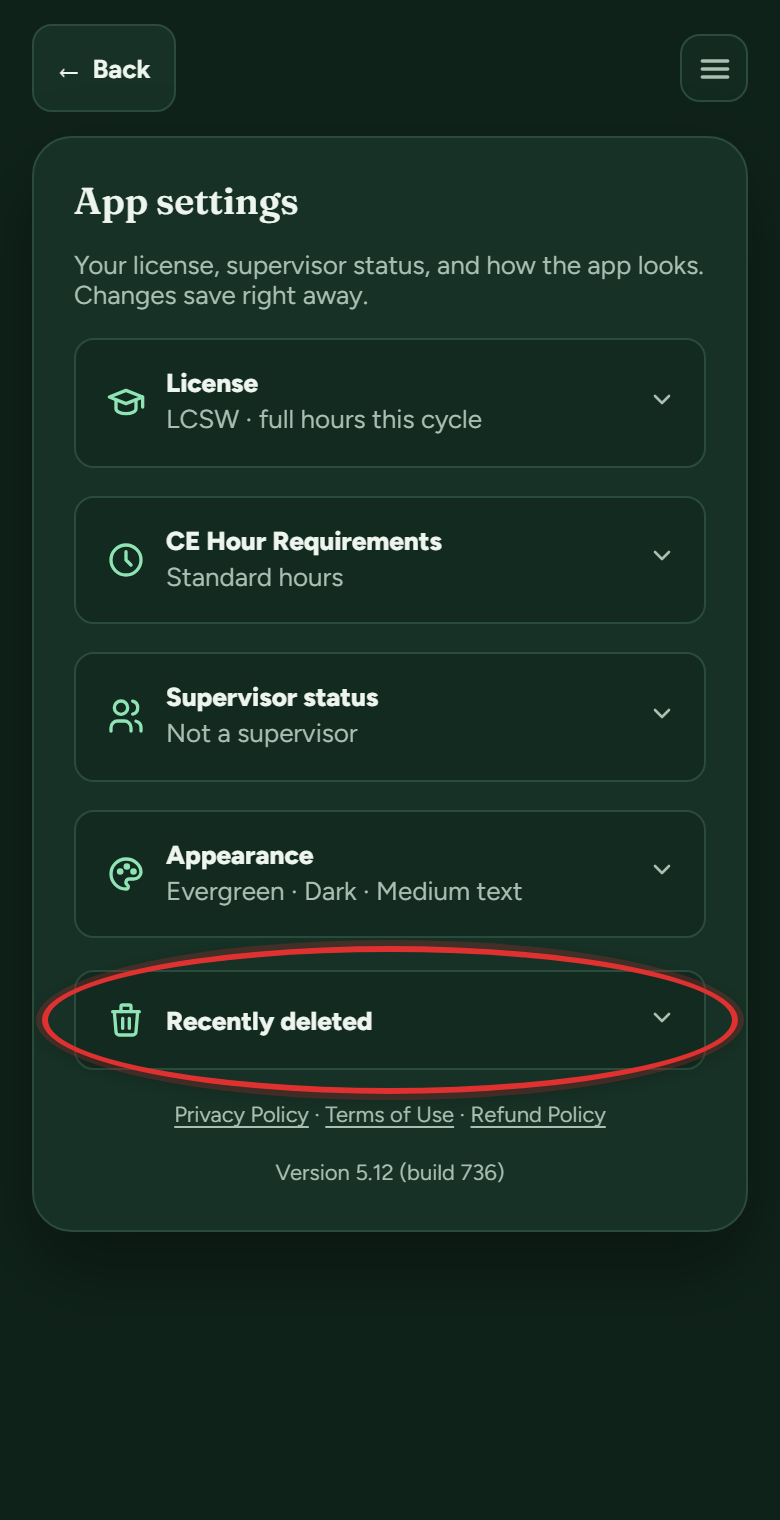
No. It waits in Recently deleted for 30 days, certificate included:
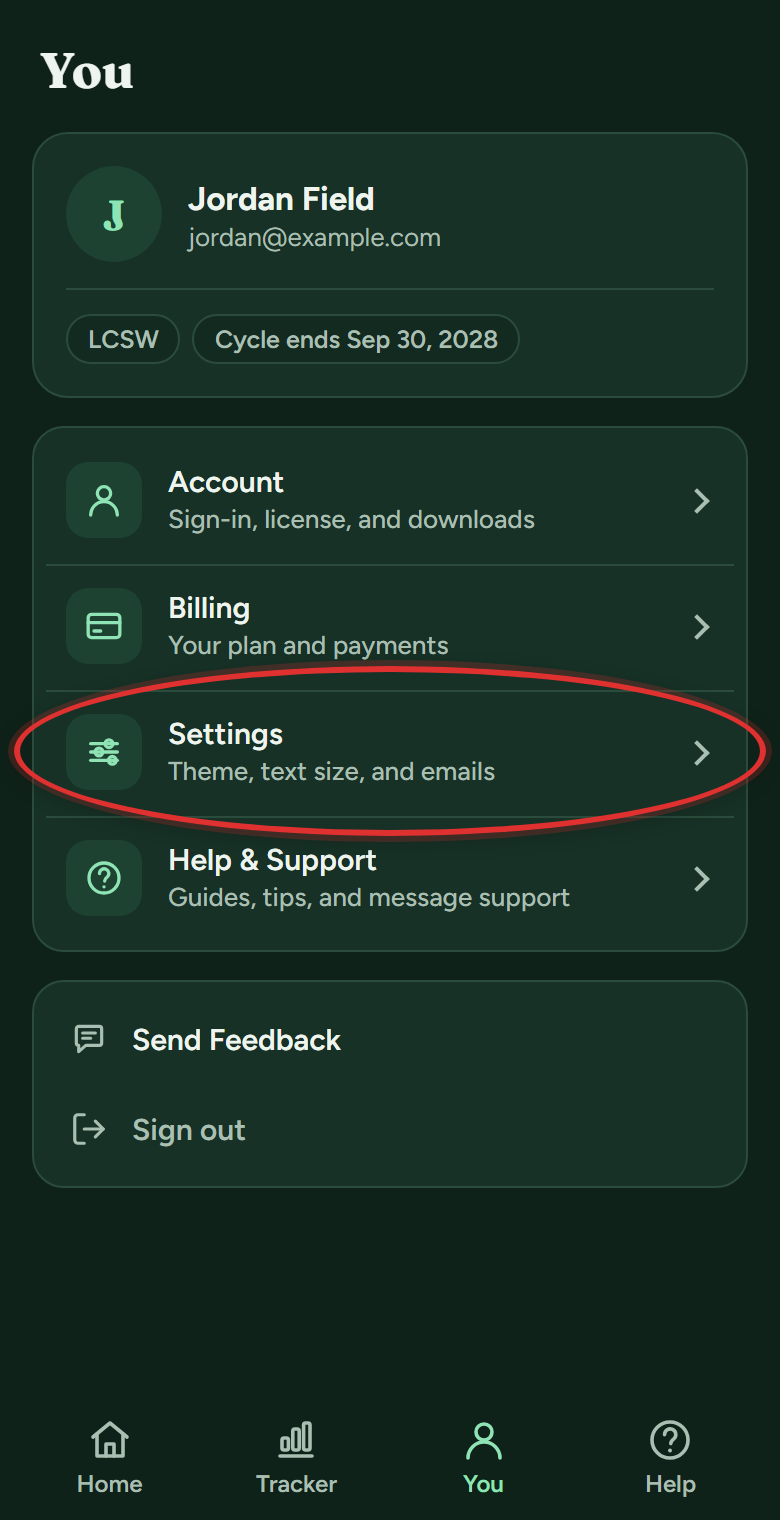
- Tap You in the bottom bar, then Settings.
- Open Recently deleted at the bottom.
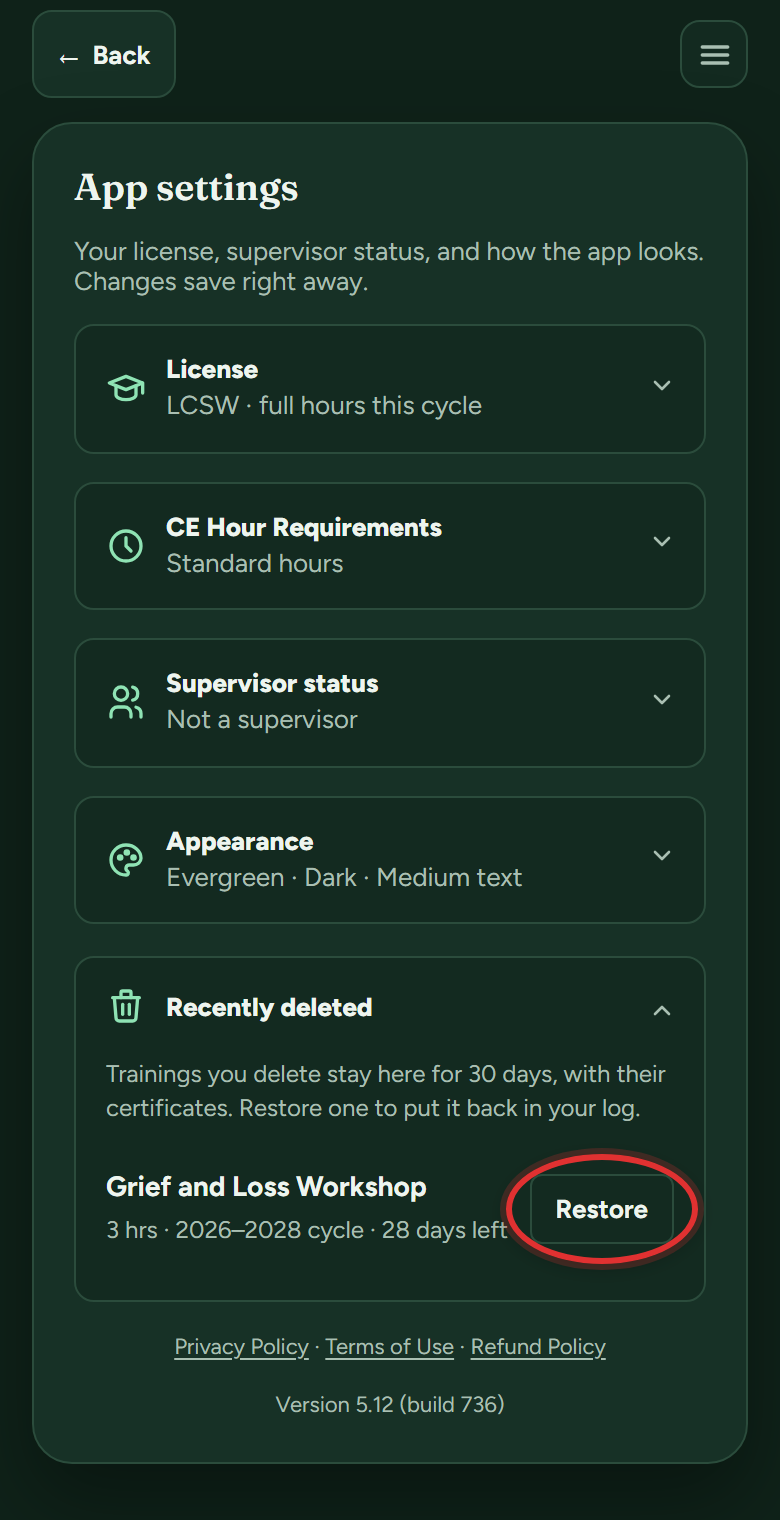
- Tap Restore on the training. It goes right back into your log, bars and all.
A training saved with the wrong hours or date. How do I fix it?
Edit the training. Your totals, bars and audit PDF all recalculate from your log, so fixing the entry fixes everything:
- On My Tracker, scroll down to your Training Log.
- Tap Edit on the training that's wrong.
- Correct the date or hours. A new date can move the training to a different cycle; the button next to Date shows which one.
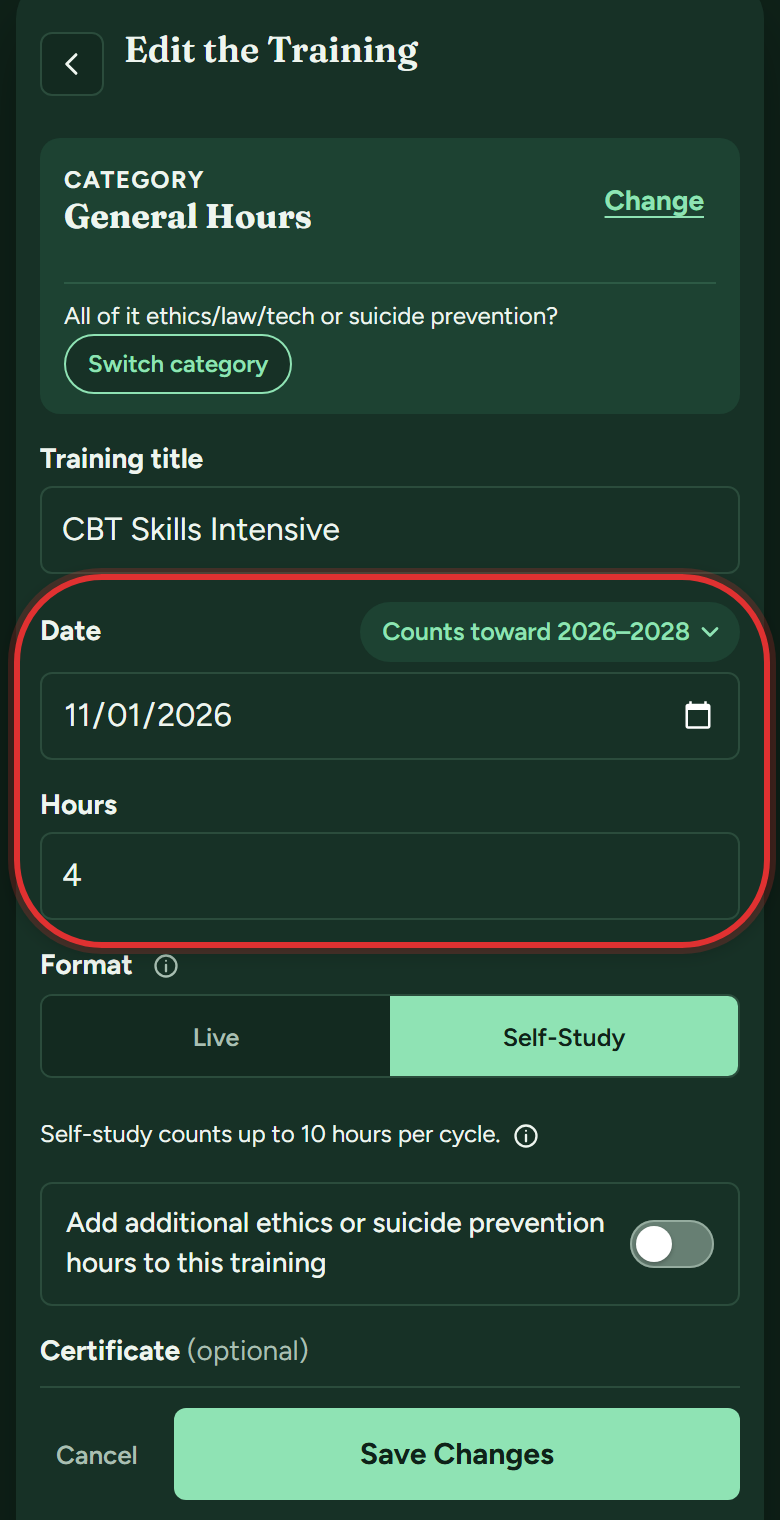
- Tap Save Changes.
Supervisors and special cases
I'm becoming a clinical supervisor. How do I log the qualifying course?
This is DOPL's rule for supervising associate therapists (CSWs, AMFTs and ACMHCs):
- Open Settings (You in the bottom bar, then Settings) and open Supervisor status.
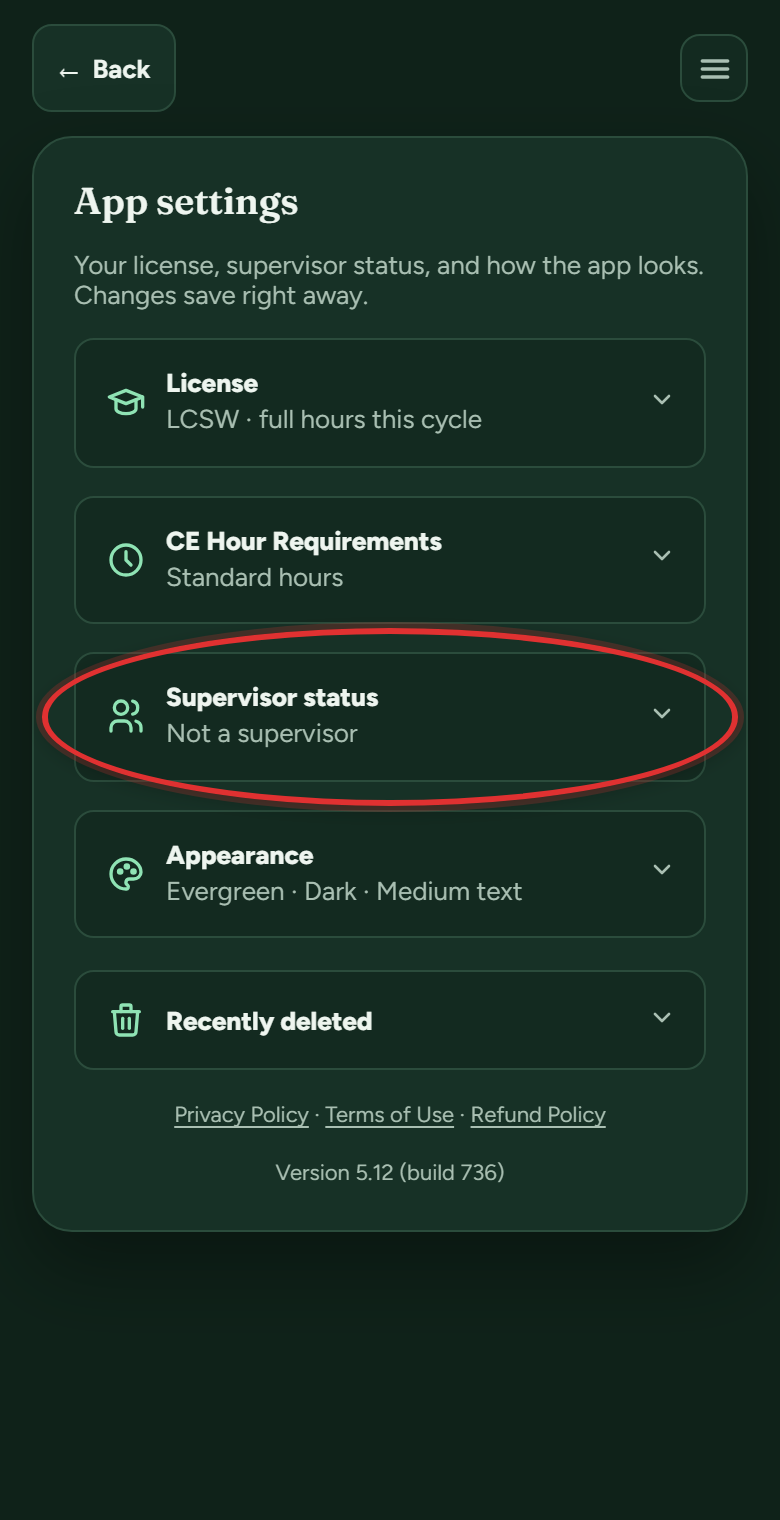
- Flip "Are you a supervisor, or working toward becoming one?" and answer whether you've already taken DOPL's qualifying course. Already took it? The app logs the course for you, and the auto-added entry can be edited like any training.
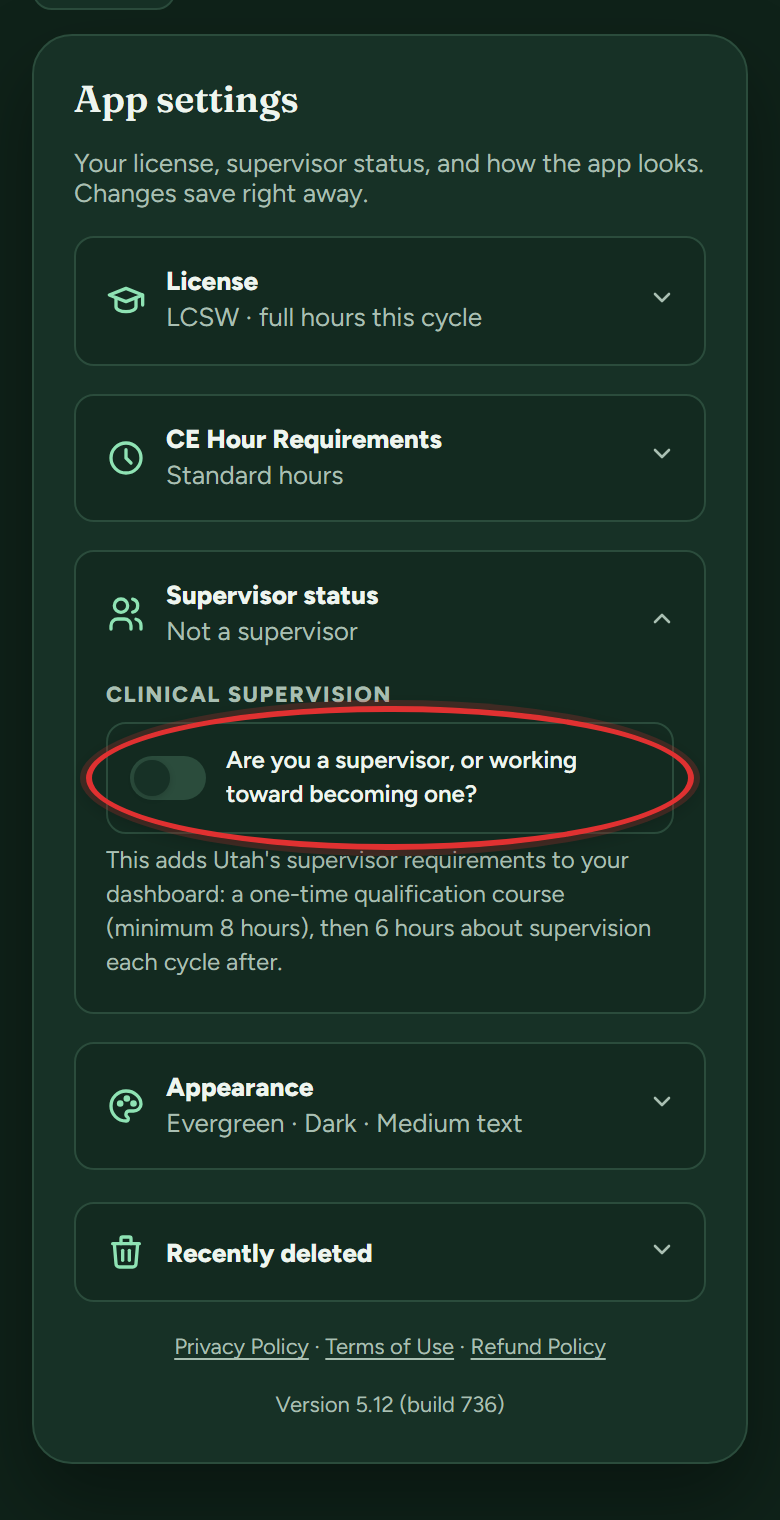
- Still need it? Your tracker grows a SUPERVISOR REQUIREMENTS section with a Supervisor Course bar. When you've taken the course, tap + Log this course right on that bar.
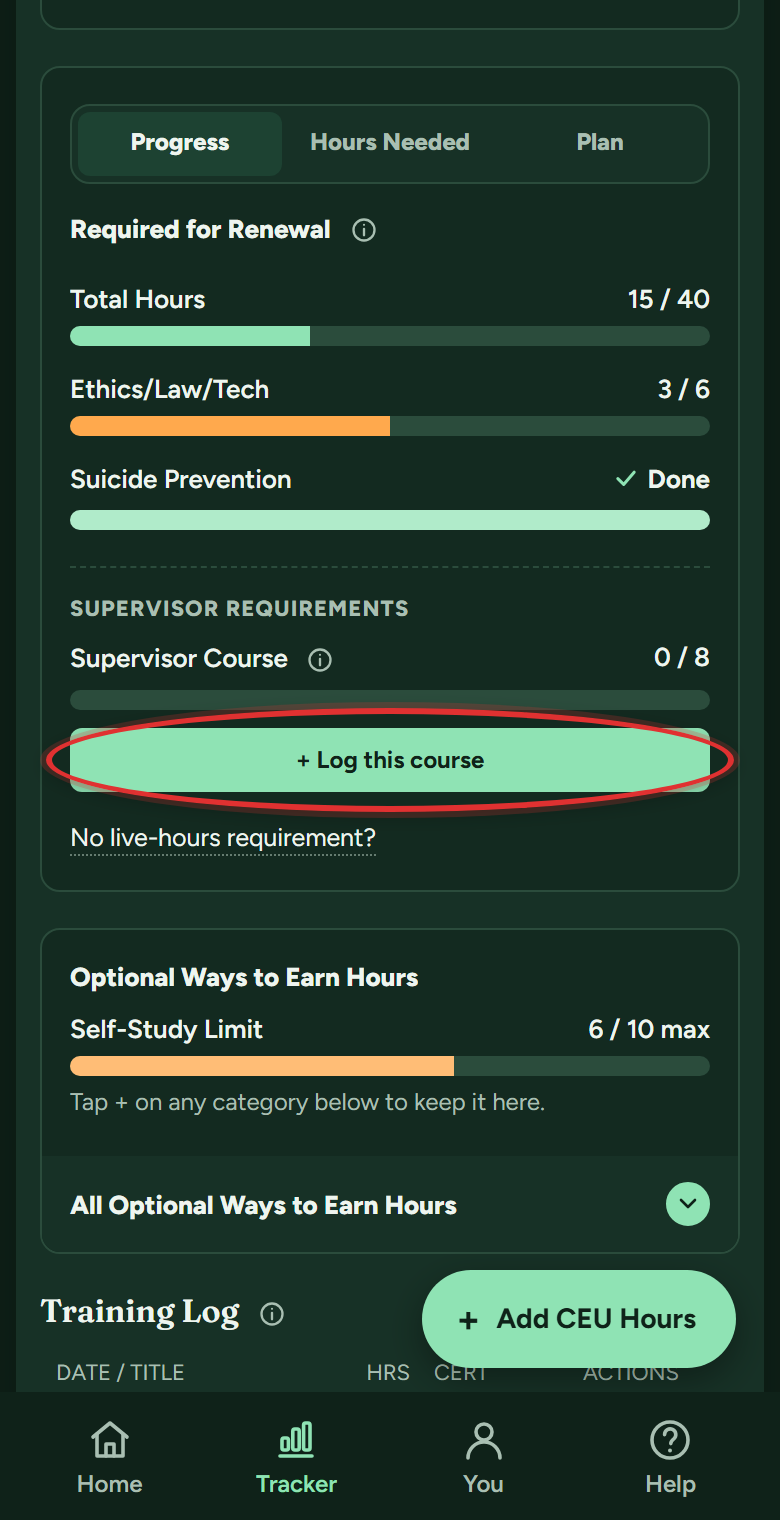
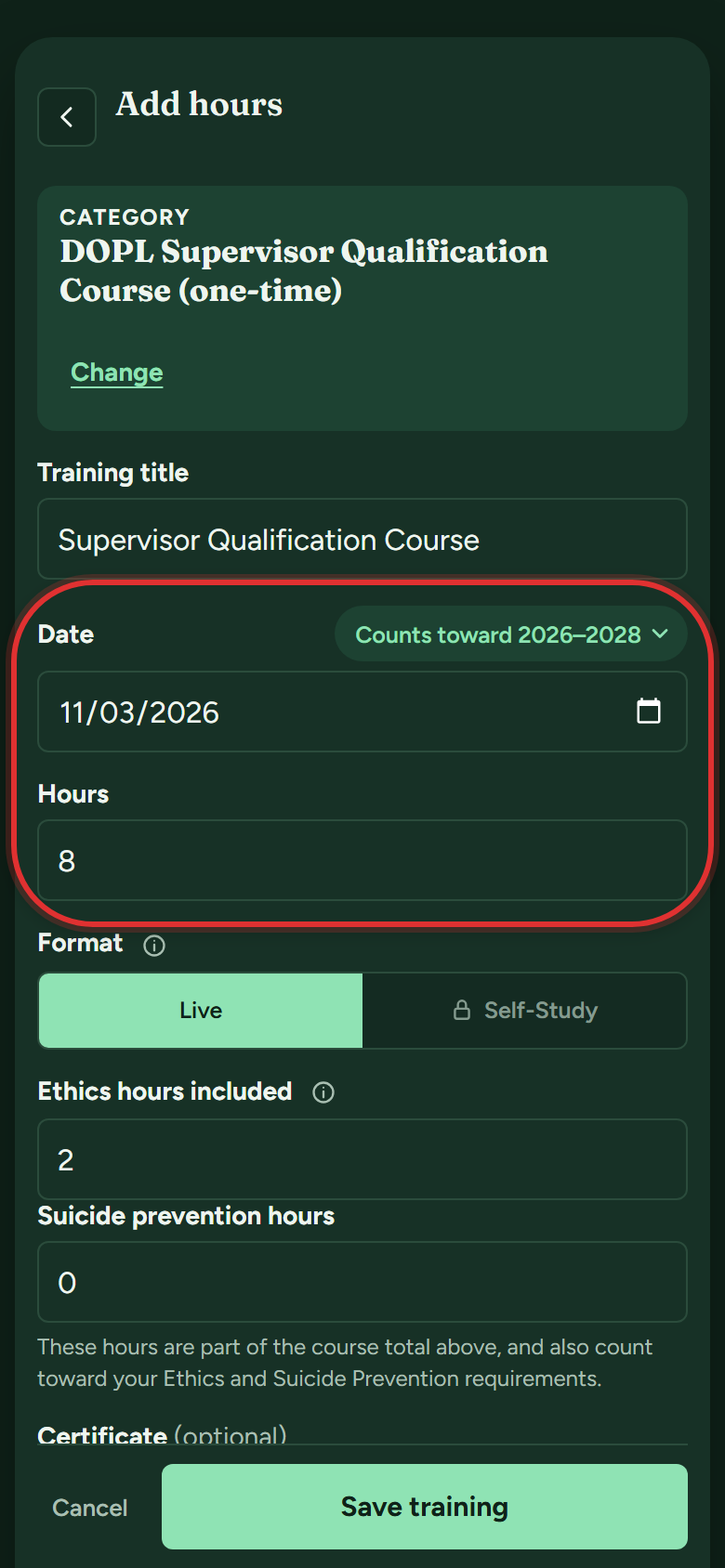
- Enter the date and hours: minimum 8, live, and a longer course counts in full. Below them, the form also takes the course's ethics and suicide prevention portions, which count toward those bars too. Then tap Save training.
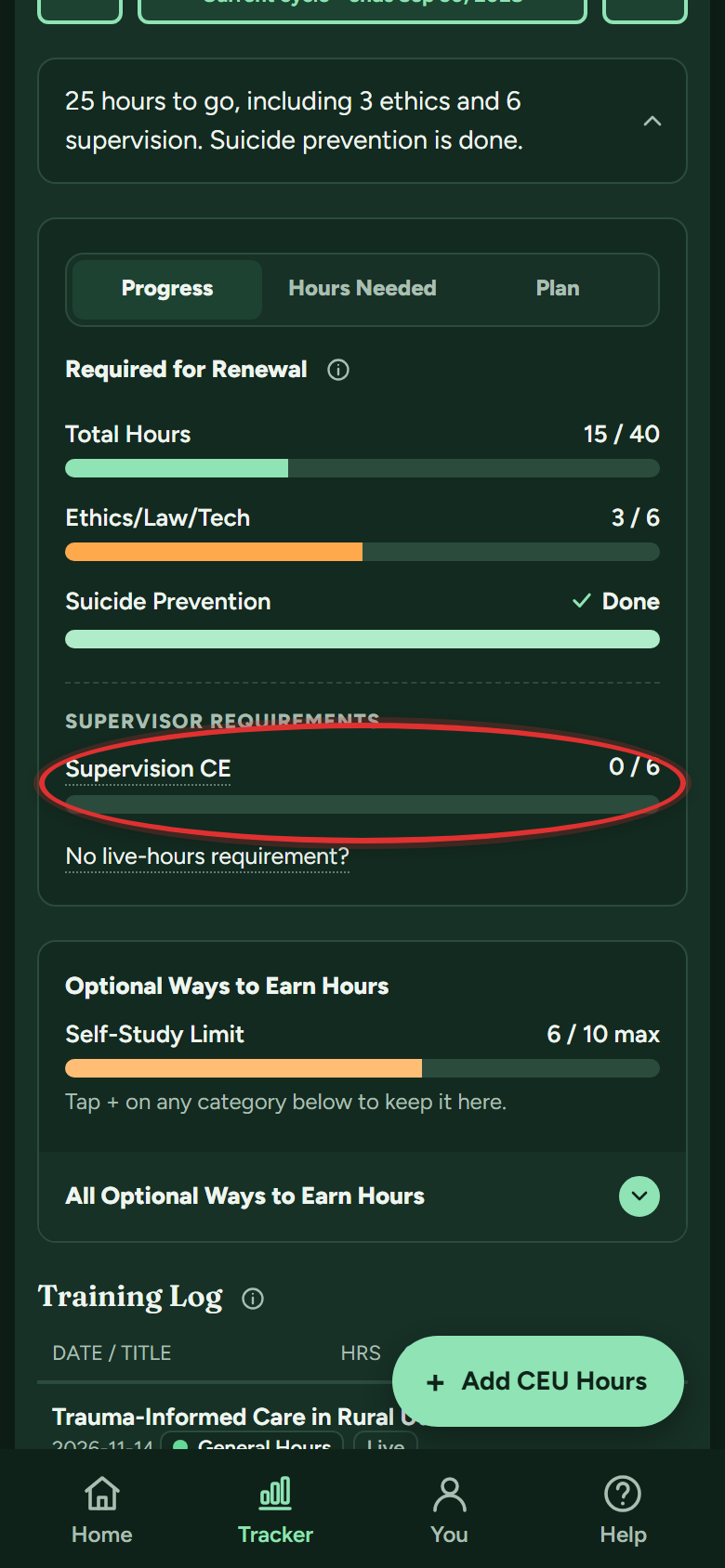
- In the cycles after the course, the same section tracks the 6 hours of Supervision CE you need each cycle.
Do MFT-specific hours still exist?
Not from the 2026-2028 cycle on. If you are viewing your 2024-2026 cycle, the MFT rows and the MFT switch still work there, because that cycle followed the old rule. The full story is here.
Still stuck? Message support
In the app: Help & Support (on a phone, the Help button in the bottom bar), then Message support. Answers arrive in the app and in your email. Or email support@utahceutracker.com.
Message support