Help center / Planning ahead and optional ways to earn hours
Planning ahead and optional ways to earn hours
Future trainings, and the hours many people never realize they earned.
Planning
How does planning a training work?
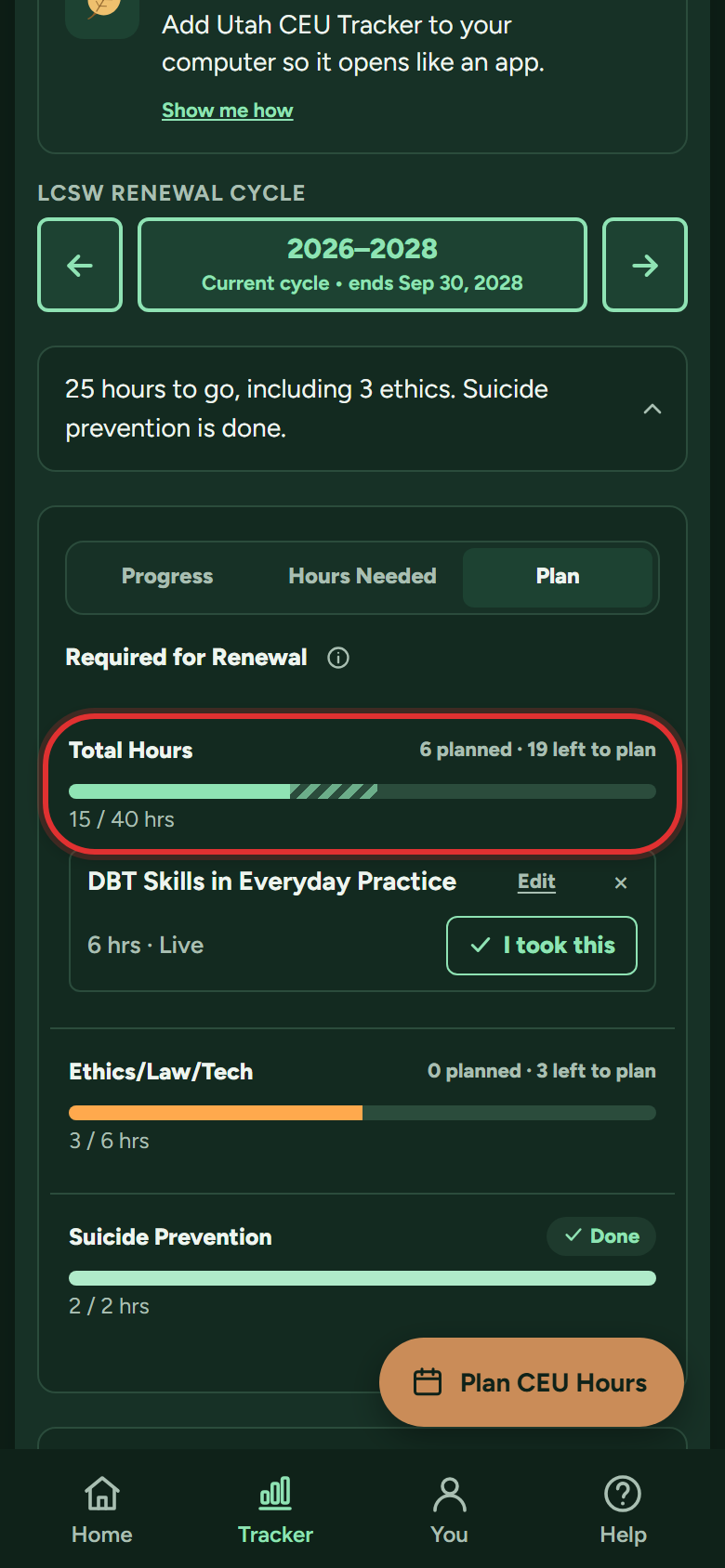
A plan is a training you intend to take; the bars show it as a lighter segment so you can see whether your plan actually finishes the cycle. Free includes 1 planned training per cycle; Premium is unlimited.
- On My Tracker, switch the card to the Plan tab, next to Progress and Hours Needed. (From Home, the Plan hours tile goes straight there.)
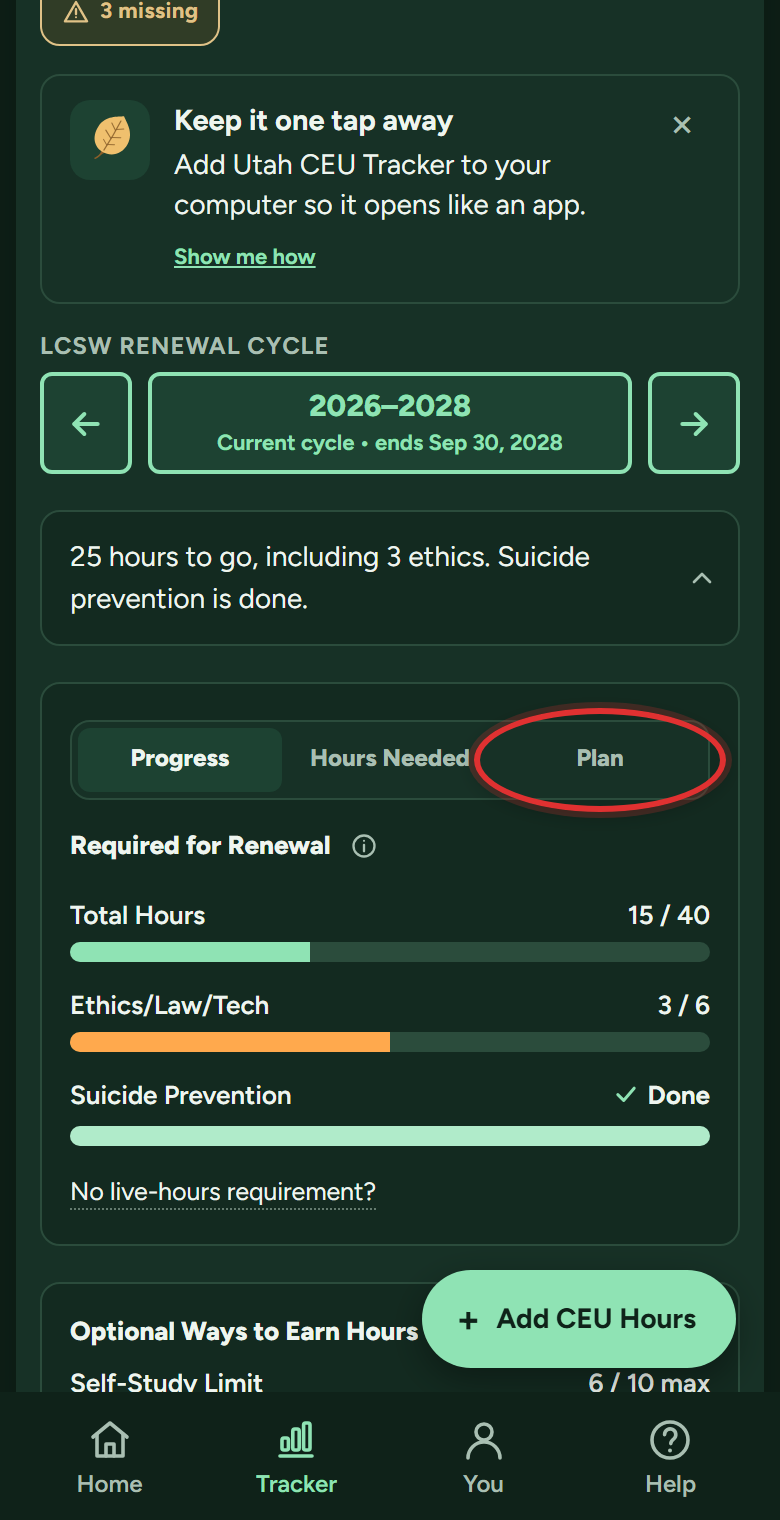
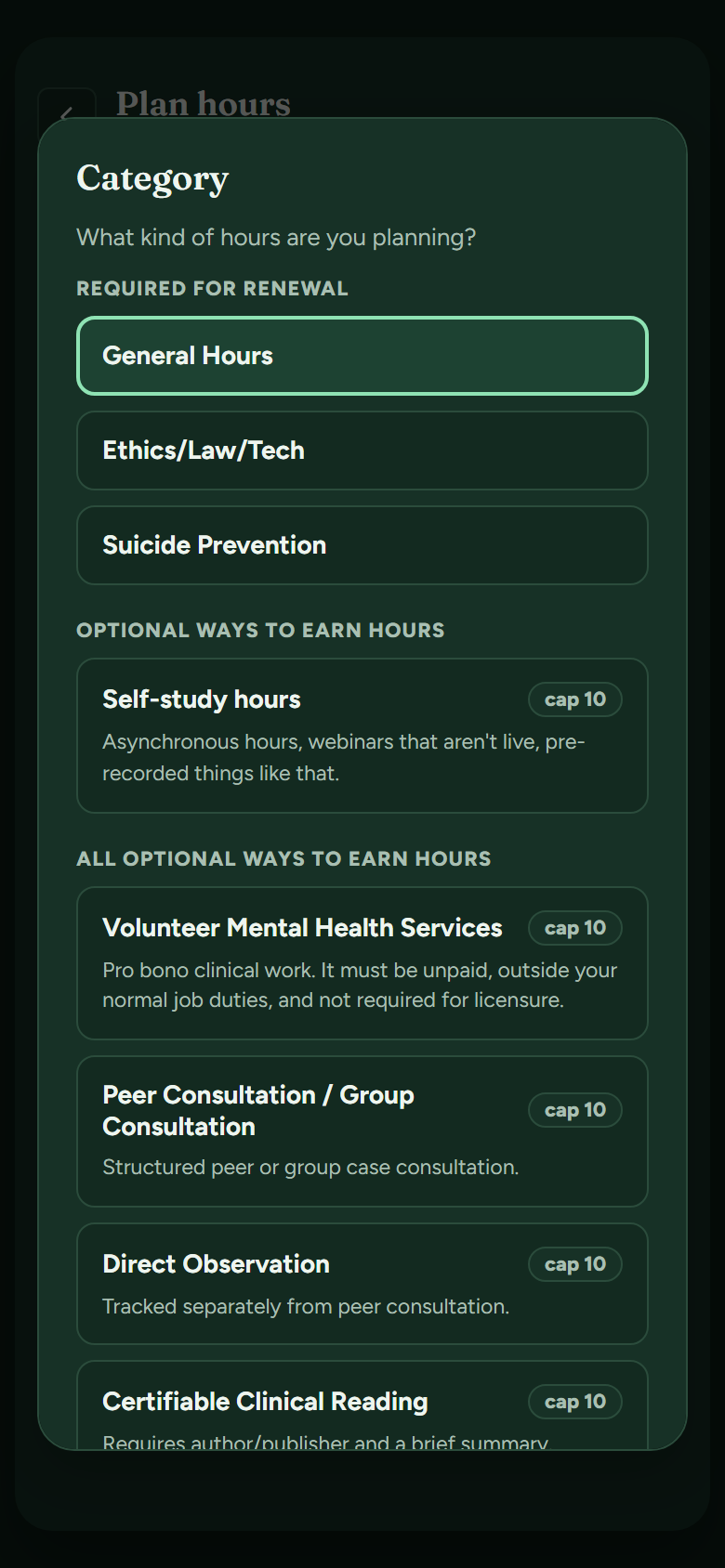
- Tap the big + button at the bottom right and pick what kind of hours you're planning, General Hours for most trainings.
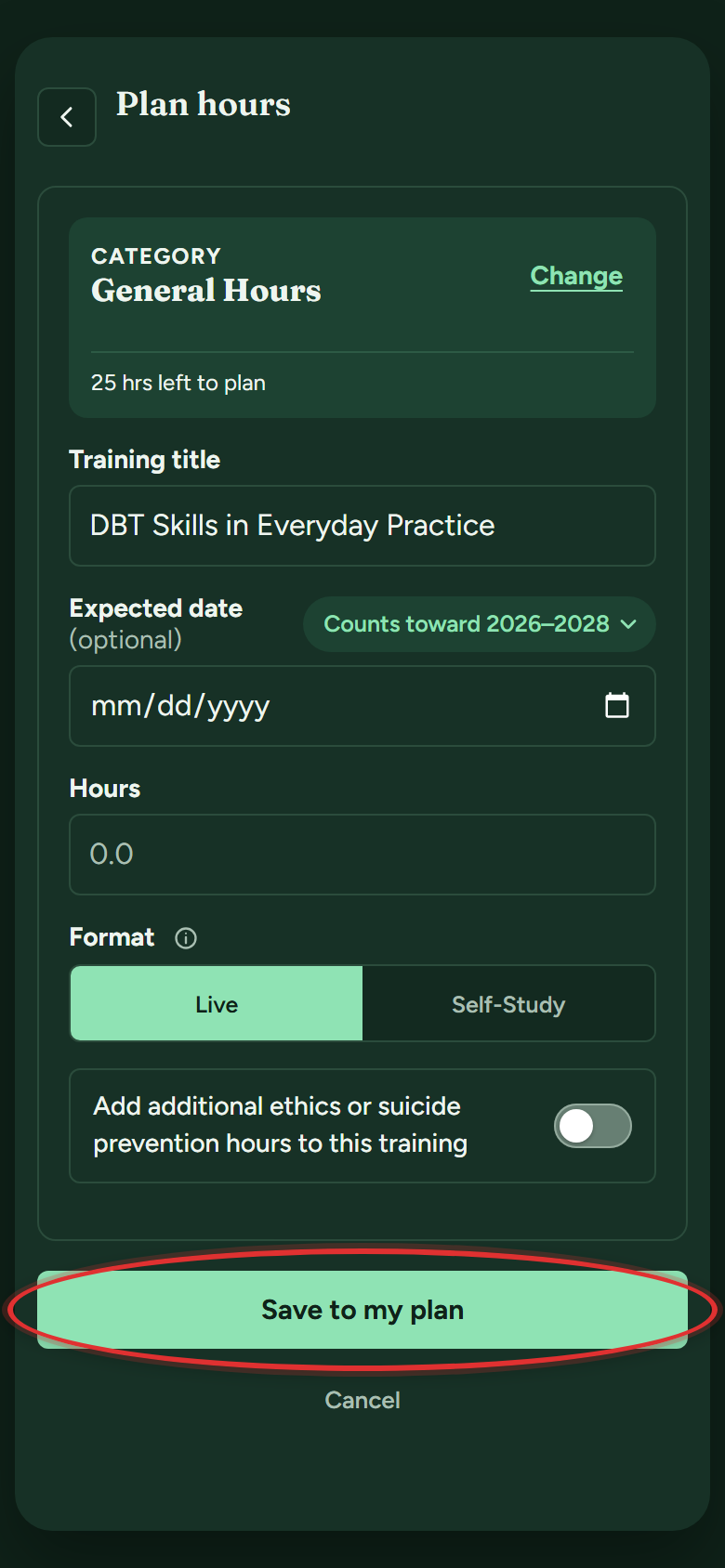
- Enter the title, the hours, and the format. The date is optional, it's a plan. The box up top even shows how many hours you still have left to plan. Tap Save to my plan.
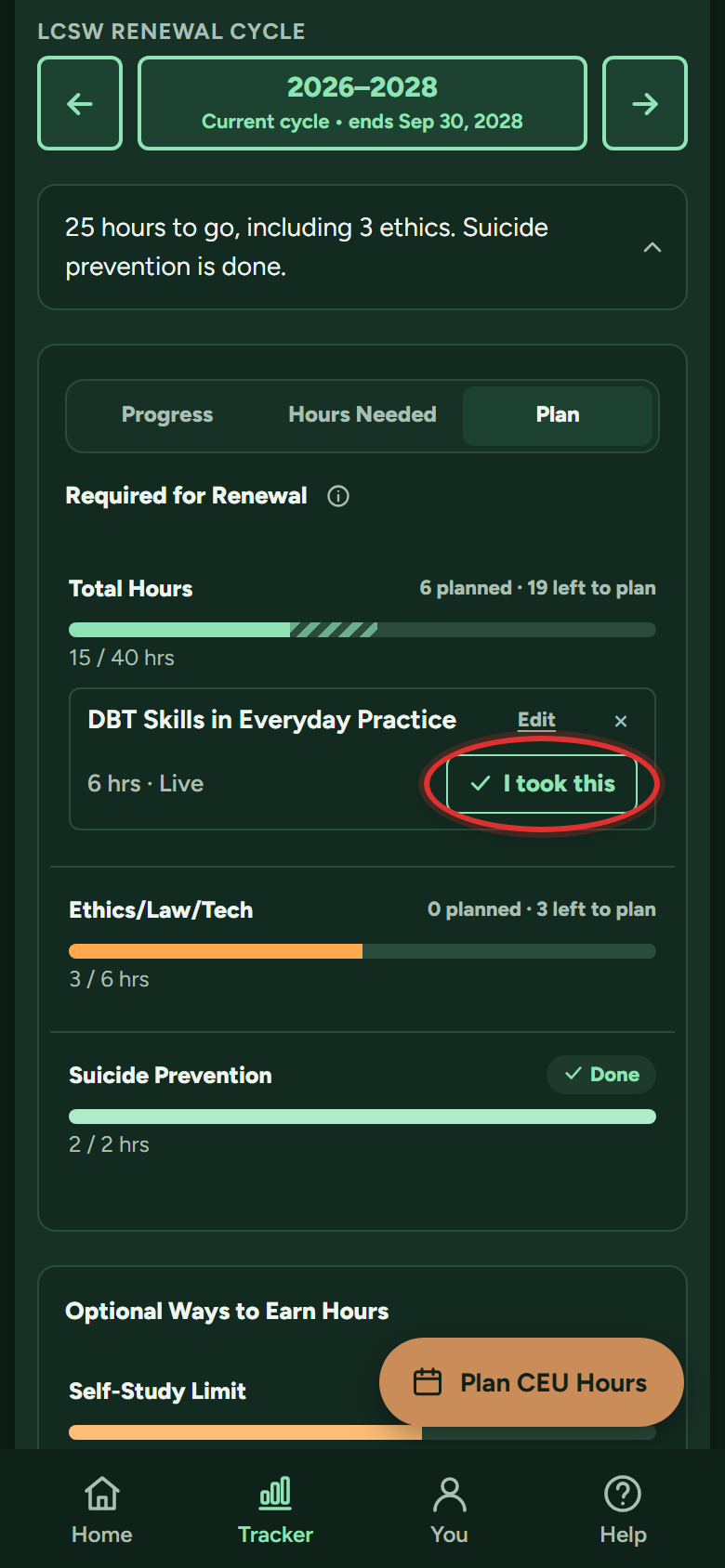
- The plan shows under its bar as a lighter, striped segment. Took the training? Tap I took this on it: the Add hours form opens already filled in, so it becomes a real entry, ready for its certificate.
Do planned hours count toward my requirement?
Not by themselves. On the Plan tab they draw as a lighter, striped segment after your logged hours, so you can tell done from planned at a glance. Only logged hours count; tap I took this on a plan once you've done it.
Optional ways to earn hours
What counts besides courses, and what are the limits?
Utah counts other ways to earn hours too, each with its own limit per cycle. The list depends on your license.
Master's licenses (LCSW, CSW, LMFT, AMFT, LCMHC, ACMHC):
- Supervision you provide (direct clinical supervision): up to 10 hours
- Volunteer mental health service: up to 10 hours
- Peer or group consultation: up to 10 hours
- Direct observation: up to 10 hours
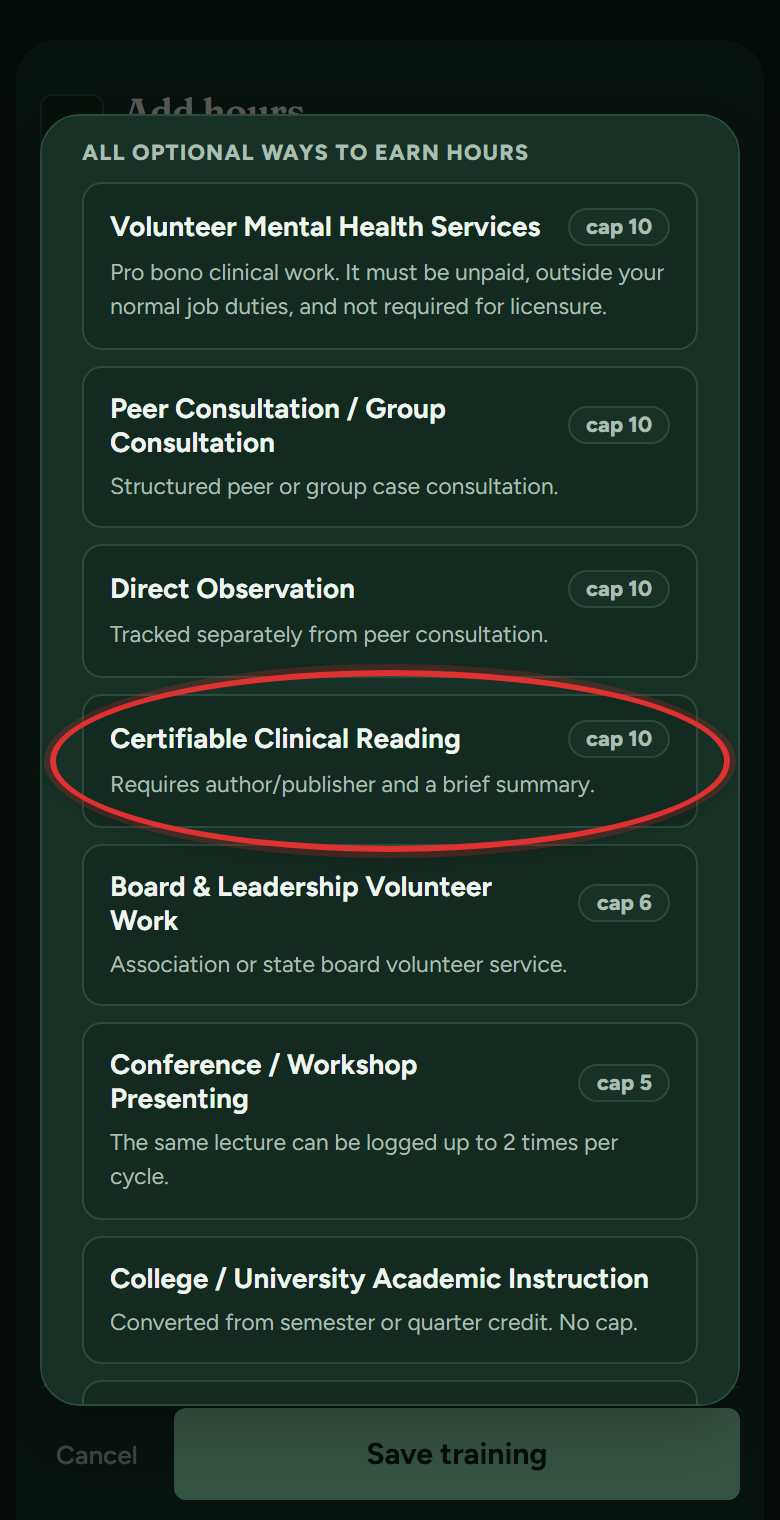
- Clinical reading: up to 10 hours
- Board and leadership volunteer work: up to 6 hours
- Conference or workshop presenting: up to 5 hours (the same lecture counts up to 2 times per cycle)
- College or university teaching: no limit
Psychologists and psychology residents:
- Teaching and supervision: up to 10 hours combined
- Clinical reading: up to 6 hours
- Peer consultation: up to 6 hours
- Volunteer work, board service, direct observation and presenting don't count
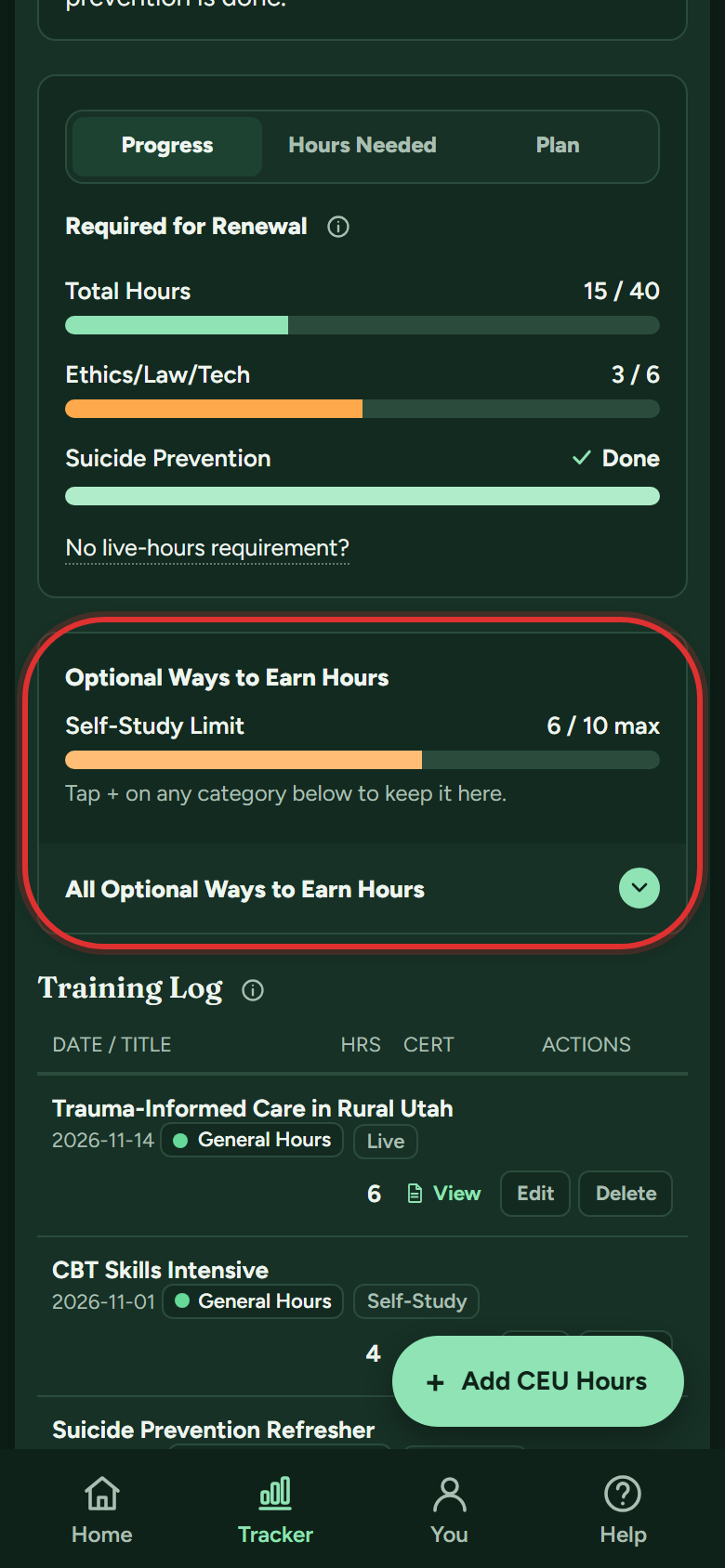
The app enforces every limit, so you can't over-count by accident, and the tracker's Optional Ways to Earn Hours section shows each one with your progress. Logging these is a Premium feature; hours you already logged always keep counting.
How does clinical reading work?
Reading professional books and journal articles counts, up to 10 hours per cycle (6 for psychologists). It is always self-study, and it never counts toward suicide prevention. To log it:
- Tap + Add CEU Hours. In the list of categories that opens, pick Certifiable Clinical Reading (psychologists see Clinical Reading).
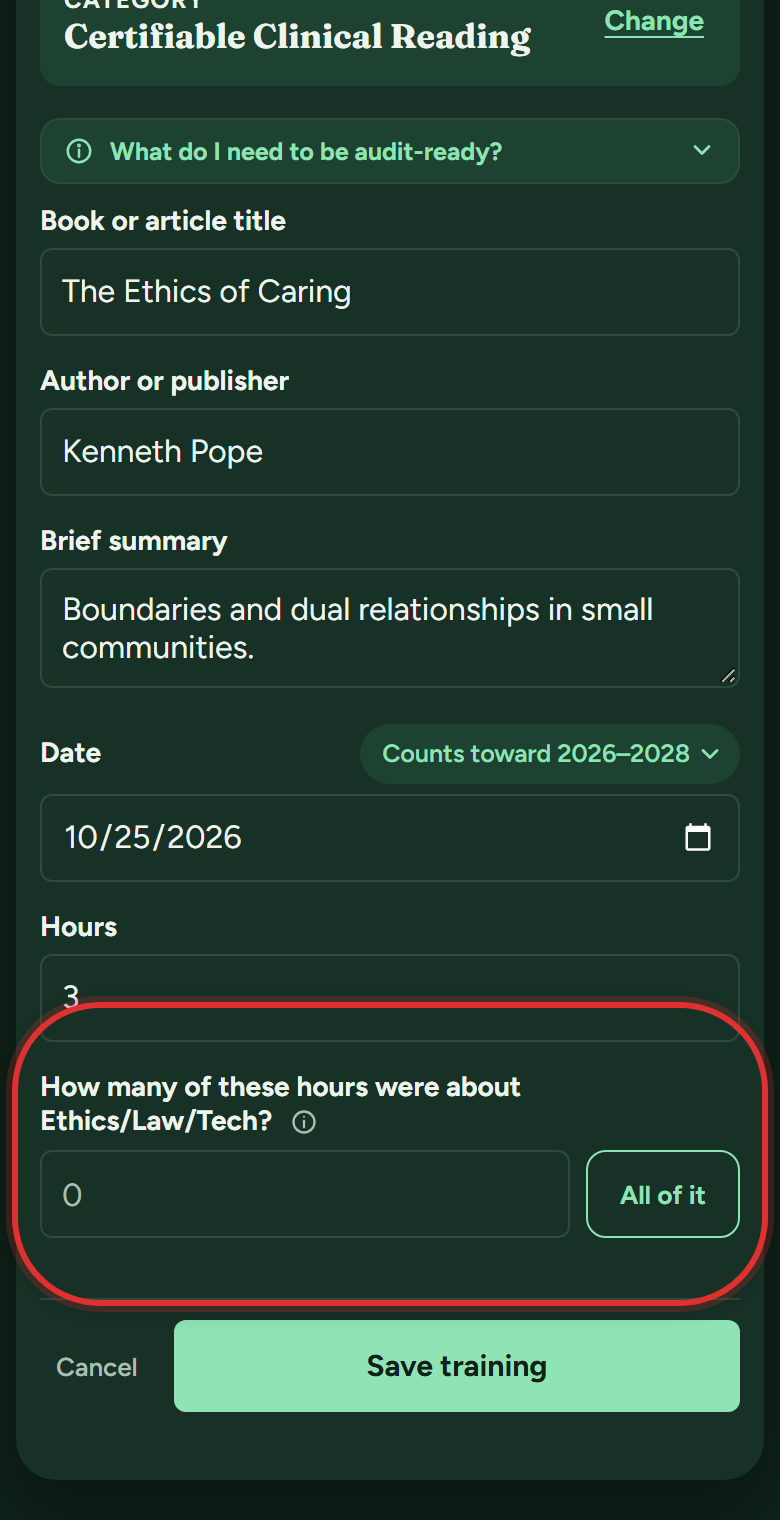
- Enter the book or article title, the author or publisher, and a brief summary: a sentence or two on what you took away. That's exactly the record DOPL expects, and the "What do I need to be audit-ready?" note right there spells it out. (For psychologists, DOPL asks for the title, author and time spent; the summary is optional.)
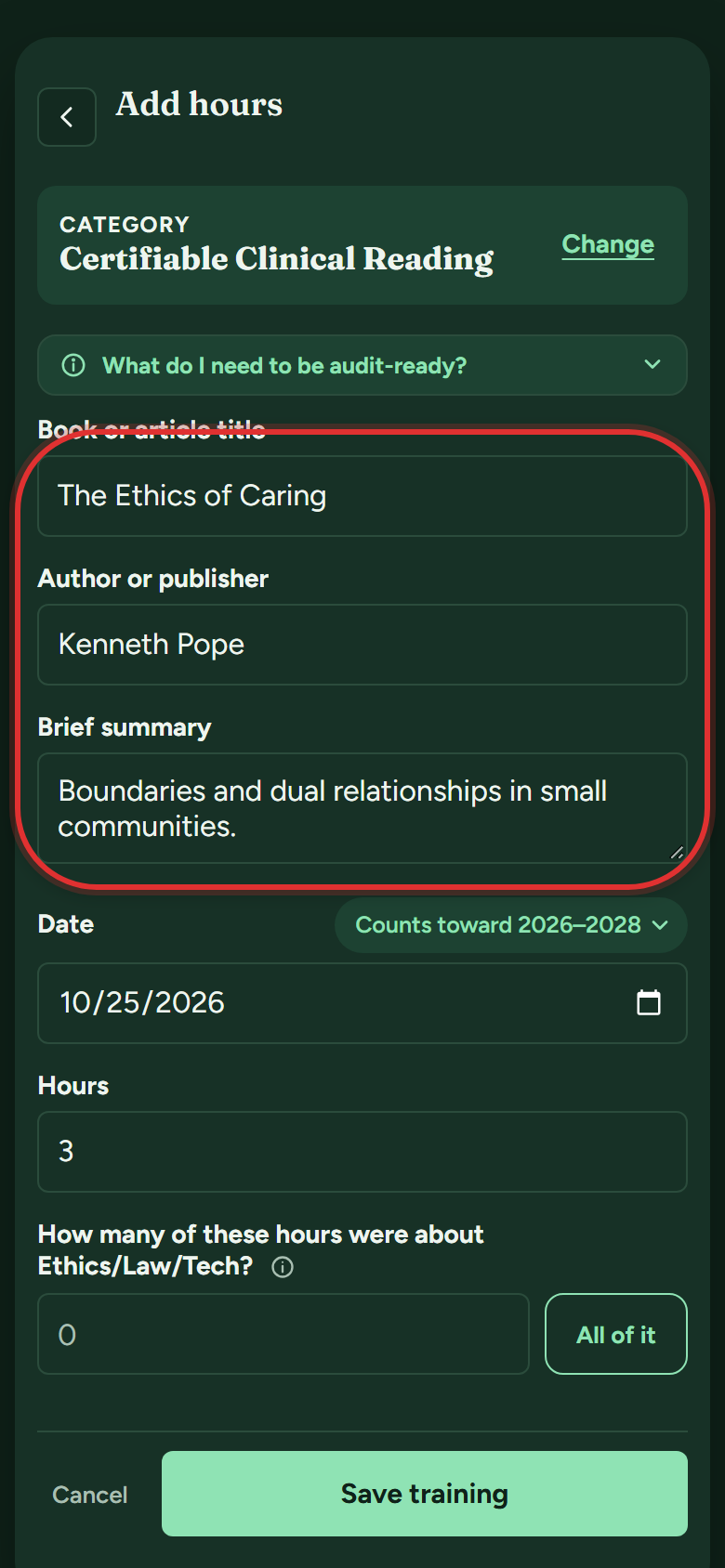
- Enter the date and the hours you spent. If some (or all) of the reading was about ethics, law or technology (ethics and law, for psychologists), enter how many of the hours under How many of these hours were about…?, or tap All of it. They count toward your ethics bar too.
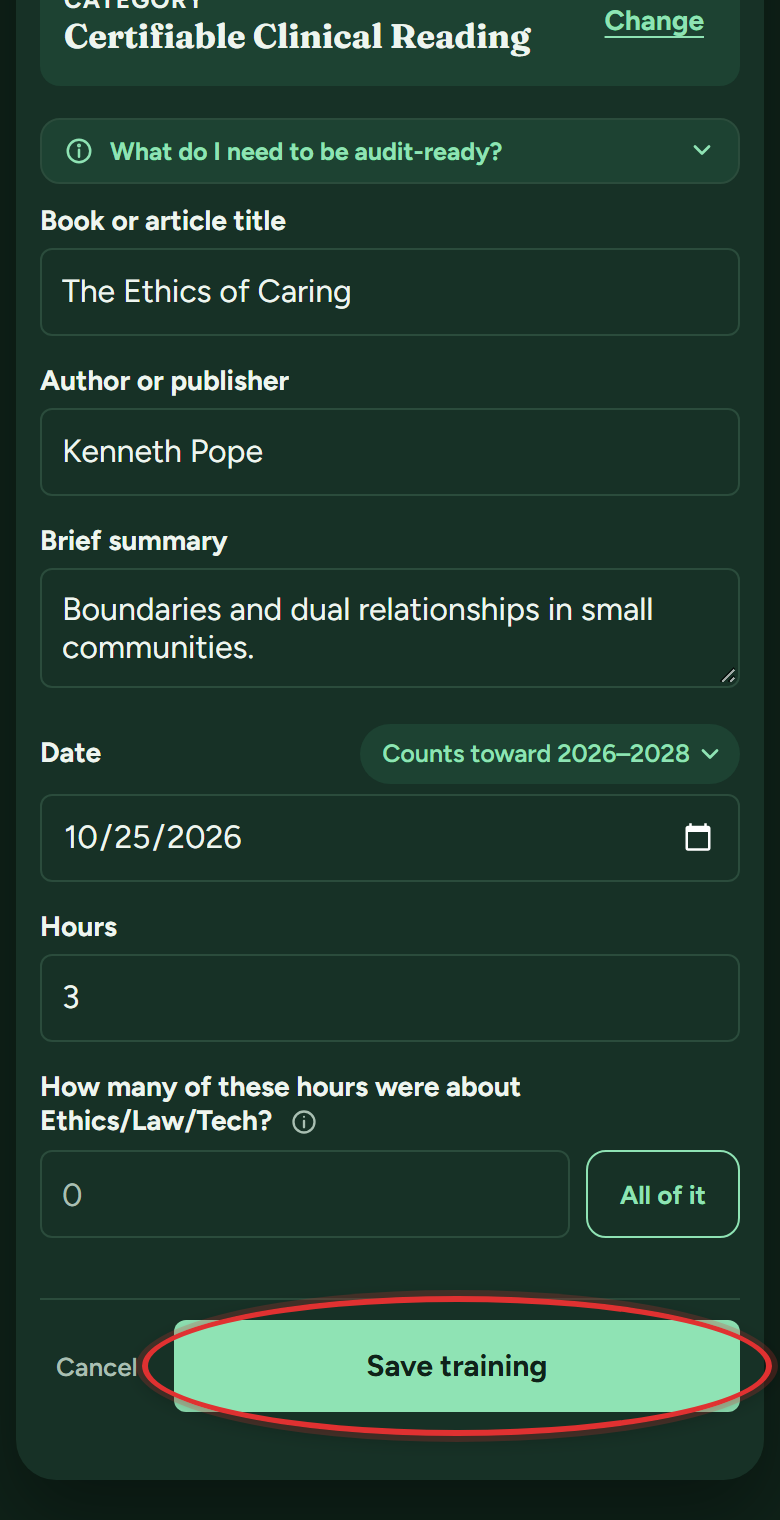
- Tap Save training. The app keeps a Clinical Reading Record with the entry, so you're covered if DOPL asks.
Can I reorder the sections on my tracker?
Yes, the bars in Optional Ways to Earn Hours:
- Press and hold any bar there (anywhere on it, its name included) until it lifts, then drag it where you want it, Self-Study Limit included, and let go.
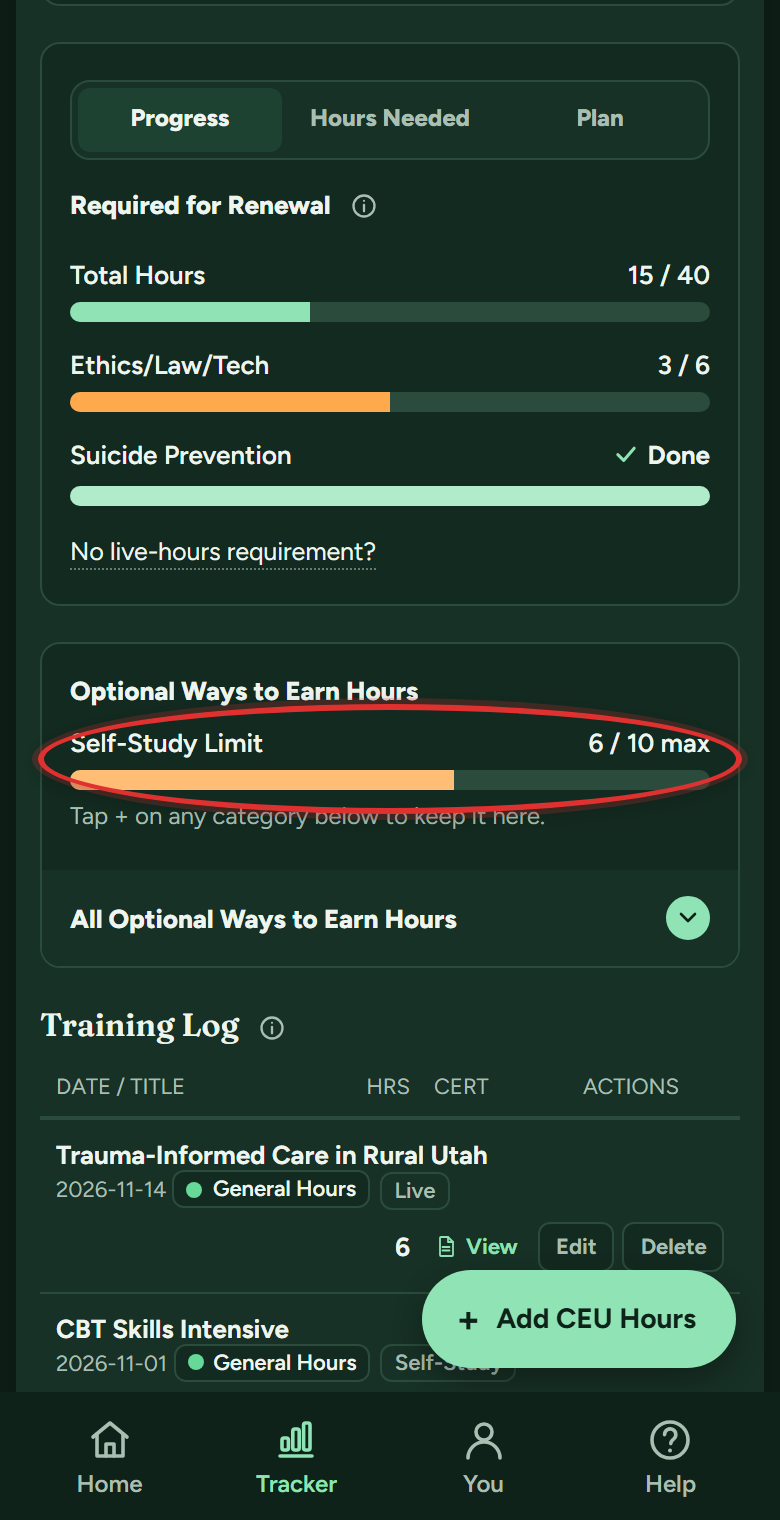
The same order follows you across Progress, Hours Needed and Plan. On a computer, Alt plus the arrow keys moves a row too.
Still stuck? Message support
In the app: Help & Support (on a phone, the Help button in the bottom bar), then Message support. Answers arrive in the app and in your email. Or email support@utahceutracker.com.
Message support